Singular vs AppsFlyer: Which MMP Is Actually Better in 2026?
Table of Contents
ToggleSingular vs AppsFlyer is one of the most common mobile measurement decisions, and most comparison articles on it are written by one of the two vendors or by a site that earns a referral fee from them. This one is built differently: every claim below comes from the vendors’ own documentation or Apple’s, and anything that is only a marketing claim is labelled as one.
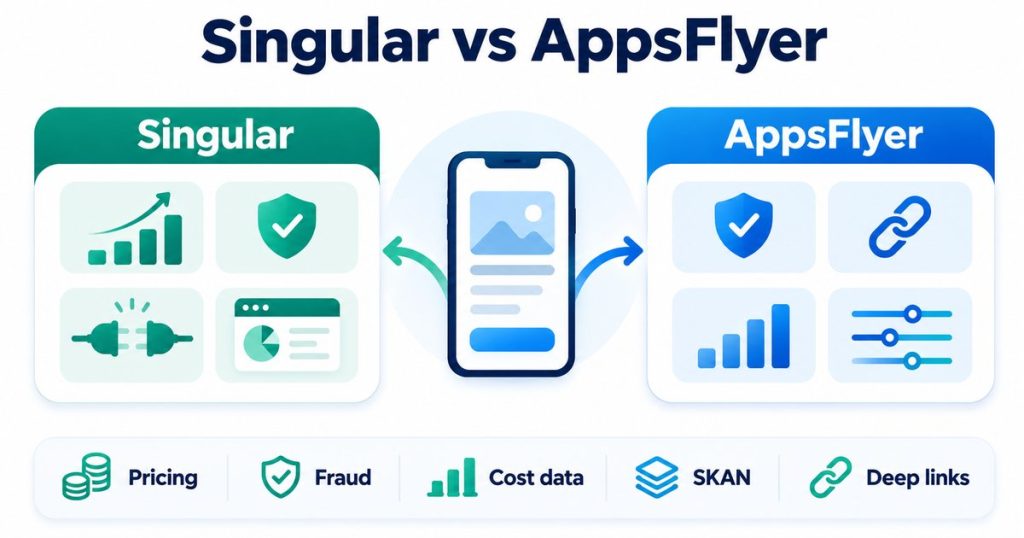
The short version is that both platforms do attribution, SKAdNetwork reporting, fraud protection, cost aggregation and deep linking. They differ in how each is packaged, priced and documented, not in whether it exists. Facts below were checked in October 2026.
Singular vs AppsFlyer at a Glance
- Attribution and SKAdNetwork. Both support them, and both document sending SKAN and AdAttributionKit postback copies to the platform.
- Fraud protection. AppsFlyer’s Protect360 is labelled Premium in its guide. Singular says fraud prevention is included in every plan.
- Cost aggregation. Both have it. AppsFlyer’s is delivered through ROI360 and is subscription gated. Singular makes it a core part of its marketing analytics.
- Deep linking. Both document deferred deep linking, AppsFlyer through OneLink and Singular through Singular Links.
- Published pricing. AppsFlyer lists plans on its pricing page. Singular does not publish a price list that I could verify.
If you are new to the category, read what mobile attribution is first, then come back.
What Is AppsFlyer?
AppsFlyer is a mobile measurement partner that attributes installs and in-app events, reports SKAdNetwork data, detects fraud with Protect360, aggregates cost data through ROI360 and handles deep links through OneLink. Its own marketing says it integrates with more than 11,000 technology and media partners, which is a vendor figure I could not verify independently. AppsFlyer’s integration documentation groups partners into ad networks, agencies and tech partners, without stating a total. For the SDK side, see the AppsFlyer setup guide.
What Is Singular?
Singular is a mobile measurement partner that pairs attribution with cost data and marketing analytics. Its documentation describes partner integrations in three groups: ad networks and agencies that use tracking links, self-attributing networks such as Facebook that share click data, and third-party platforms that receive postbacks. Singular’s own cost aggregation page cites 1,200 or more cost data connectors and 10,000 or more technology and media partners, which are again vendor figures. For the integration steps, see how to set up Singular.
Pricing: What You Can Actually Verify
This is the one place where the two platforms are visibly different, so be careful about what is known and what is not.
AppsFlyer Pricing
AppsFlyer publishes three tiers on its pricing page. Zero is free, aimed at owned media, and the page notes it is not suitable for apps with paid activities. Growth is pay as you go, and after a Welcome Package of 12,000 free conversions for the first year, conversions are priced at $0.07 each. Enterprise is custom priced through a demo request. Premium products such as Protect360 are described as premium in AppsFlyer’s guides, and its cost data suite is gated by a separate ROI360 subscription, so the base conversion price is not the full bill for a paid-acquisition team.
Singular Pricing
I could not find a Singular price list on an official page, and third-party price trackers do not agree with each other, so I am not quoting numbers. Singular’s cost aggregation page mentions a 14 day free trial with no credit card required, but it does not say which plans include which features. Ask for a written quote that states conversion limits, overage rates and every add-on you would use.
Fraud Prevention in Singular vs AppsFlyer
Older comparisons call one of these strong and the other weak without evidence. What the documentation actually lists is more useful.
AppsFlyer Protect360
AppsFlyer’s Protect360 guide lists coverage for device ID reset fraud, install hijacking, click hijacking, click flooding, behavioral anomalies, IP denylists, SDK authentication and store validations. It says a fraudulent install is identified in real time before attribution and blocked from being attributed, and that later in-app events from that user are blocked as well. Fraud found after attribution can be identified on the install day and up to seven days later and is labelled as post-attribution fraud. The guide labels Protect360 as Premium and does not describe pricing.
Singular Fraud Prevention
Singular’s list of fraud protection methods describes six, each of which can be enabled or disabled separately:
- Android Install Validation, which uses Google Play signals to catch fake installs, and which can add cryptographic receipt verification with a Google Play licensing key.
- iOS Install Receipt Validation, which checks App Store receipts and their Apple signatures.
- Time-to-install outlier detection, aimed at click injection.
- Geo-bleed detection, which flags impossible distances between click and install.
- Hyper-engagement, aimed at click spamming and click injection.
- Blacklisted IPs, covering data centers, proxies, TOR exit points and other high-risk ranges.
It also supports custom fraud rules. Singular’s marketing page says its suite has more than 50 detection methods, is applied before attribution and is included in every plan at no extra cost. That is a vendor claim, and it does not match the six methods in the help center article, so treat the number with caution.
The practical conclusion is not that one platform is stronger. It is that both block fraud before attribution, they cover overlapping fraud types, and the commercial difference is whether you pay extra for it. Ask each vendor for a written list of what is included in your plan.
Cost Aggregation and Marketing Analytics
A common claim is that cost aggregation is where Singular wins and AppsFlyer is attribution only. AppsFlyer’s cost aggregation overview shows otherwise. AppsFlyer provides aggregate ad cost data and cost-related LTV metrics, including ROI, ROAS, clicks, impressions and effective cost per install, through its Cost API, an InCost API, a CSV cost import and cost recorded on attribution links. It prevents double counting with a priority rule, in which attribution link cost wins over the Cost API, which wins over a cost import. The catch is that this requires an ROI360 subscription. Without it, only CPI-based cost remains visible.
Singular’s cost aggregation page says it pulls cost data through API integrations, agency dashboards, file-based reports and S3 buckets, and that its integrations team builds custom connectors for unsupported sources. It also lists non-media costs such as affiliate fees, sponsorships and offline spend. The page does not say which plans include it.
So the real question is not whether each platform has cost data. It is how many of your sources each can pull automatically, and what that costs on your plan.
SKAdNetwork and AdAttributionKit
Both platforms handle Apple’s privacy-preserving attribution, and both document forwarding postback copies. Singular’s postback forwarding guide covers sending SKAdNetwork and AdAttributionKit postbacks to Singular using Info.plist keys, with SKAdNetwork forwarding available from iOS 15. AppsFlyer has an equivalent article, send SKAN and AdAttributionKit postback copies directly to AppsFlyer, which covers iOS 15 and later.
Where they differ is the tooling around conversion values. AppsFlyer’s SKAN solution guide describes Conversion Studio, where an advertiser sets what the conversion value measures without changing app code. It offers a Flexible SKAN 4.0 mode that AppsFlyer calls best practice, a Flexible Custom mode, legacy Fixed modes and a Decode option for a custom schema. Postbacks are validated for Apple signatures and unique transaction IDs and enriched with cost and campaign data. Singular manages conversion values in its default Managed Mode through a conversion model set in its dashboard, as I covered in the Singular setup guide. For the Apple side of this, read the SKAdNetwork setup guide.
Deep Linking: OneLink vs Singular Links
AppsFlyer’s deferred deep linking page presents OneLink as capturing the original click parameters and restoring them after install, working across channels such as email, SMS, QR codes and referral campaigns, with flexible fallback and routing rules. Singular’s deep linking documentation describes Singular Links, which support standard and deferred deep linking, a link handler that returns the deep link, passthrough parameters and URL parameters, and third-party Universal Links by default from iOS SDK 12.0.3.
Both do the job. I would not call either more mature without testing your own flows. If deep linking and web-to-app journeys are the center of your product, also look at a specialist, as covered in Branch deep links setup.
Integrations: Count Less, Check More
Both vendors advertise partner counts above 10,000, and neither number can be compared fairly because they define a partner differently. Skip the totals and check the specific ad networks, cost sources and analytics tools you use. Confirm that each is integrated, whether it supports your event postbacks, and whether it supports SKAdNetwork reporting. The mobile attribution audit guide has a checklist for that.
Which One Should You Choose?
There is no universal winner in the Singular vs AppsFlyer choice, so decide on the gap that costs you the most today:
- You want a published entry price and a free start. AppsFlyer is the only one of the two with plans and a per-conversion rate on a public page.
- Fraud protection is included in the base price. Singular states this in its marketing, so confirm it in writing. For AppsFlyer, Protect360 is described as premium.
- Cost aggregation is the main reason you are buying. Compare the exact sources you need on both, and check what each plan includes.
- SKAN conversion value design is your biggest iOS problem. Compare the tooling above against your team’s skills.
- You are comparing with Adjust too. See AppsFlyer vs Adjust.
Whichever you pick, run a short trial on one app, fire a test event end to end and check it against the free mobile app attribution debugger before you move your budget. The cost of a wrong configuration is higher than the difference between the two prices.
FAQ
Which is better, Singular or AppsFlyer?
Neither is better for every app. Both cover attribution, SKAdNetwork reporting, fraud protection, cost aggregation and deep linking. The deciding factors are usually pricing and packaging, which partners and cost sources you need, and how each one handles iOS conversion values. Compare written quotes and test one app on each before committing.
Is AppsFlyer cost aggregation worse than Singular?
Not as a feature. AppsFlyer provides aggregate cost data and ROI and ROAS metrics through its ROI360 suite, using cost APIs, CSV imports and attribution link cost. It requires an ROI360 subscription. Singular makes cost aggregation a core part of its marketing analytics. Compare the specific ad sources you need and what each plan includes.
How much does AppsFlyer cost compared with Singular?
AppsFlyer publishes a free Zero plan and a Growth plan priced at $0.07 per conversion after a first year Welcome Package of 12,000 free conversions, with Enterprise on custom pricing. Singular does not publish a price list that could be verified, so a direct comparison needs a written quote from each vendor.
Do both platforms support SKAdNetwork and AdAttributionKit?
Yes. Both document forwarding SKAdNetwork and AdAttributionKit postback copies to the platform on iOS 15 and later. AppsFlyer adds Conversion Studio for designing conversion values, while Singular uses a Managed Mode driven by a conversion model set in its dashboard.
Does Singular include fraud protection in every plan?
Singular’s marketing page says fraud prevention is included in every plan at no extra cost, while AppsFlyer’s guide labels Protect360 as Premium. Because both statements come from vendor material, confirm in your written quote what fraud features are included for your plan.
Which platform has better deep linking?
Both document deferred deep linking. AppsFlyer uses OneLink and Singular uses Singular Links. Neither can be called more mature without testing your own link flows, so run a test with your actual channels and destinations before deciding.
Can I switch from one MMP to the other later?
Yes, teams switch as their needs change. Expect to re-implement the SDK, remap events and reconnect ad networks. Export the historical data you need before cutting over, and check each vendor’s guidance on running two SDKs side by side.
If you are deciding between the two, or you have one set up and the numbers do not look right, send your setup description to contact@alfahadhridoy.com and I will reply by email with what to check.