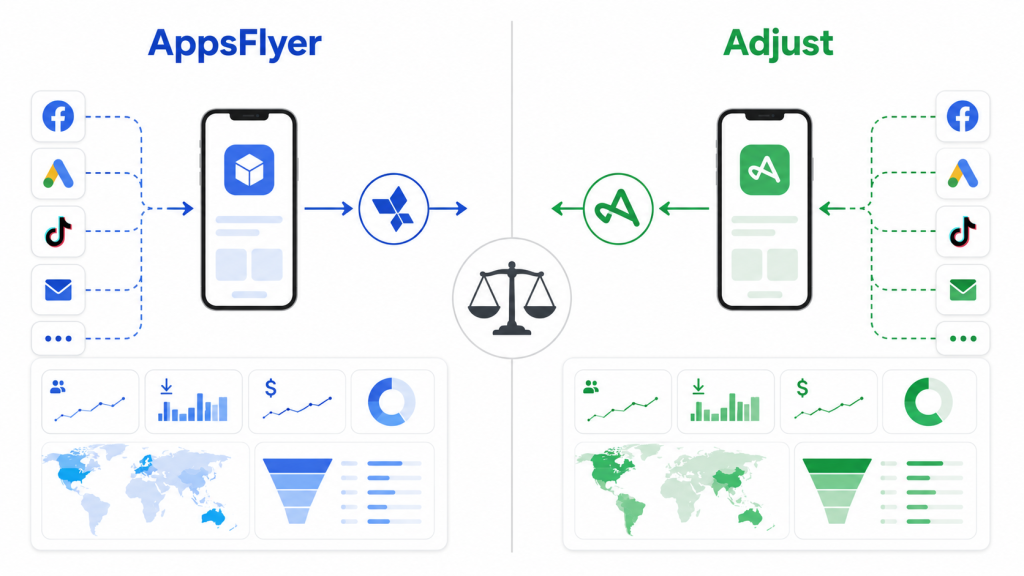
AppsFlyer vs Adjust: Which MMP Should You Choose in 2026?
Table of Contents
ToggleAppsFlyer vs Adjust is one of the most common comparisons when an app team picks a Mobile Measurement Partner (MMP). Both attribute installs, in-app events and revenue to their source, both support Apple’s SKAdNetwork, and both are used by large apps. The differences show up in pricing, fraud tooling, deep linking and the work each one needs once you are live.
This guide compares them using their own current documentation and pricing pages, checked in October 2026. Where a vendor makes a marketing claim I could not verify independently, I say so, and I left out numbers I could not confirm.
The short answer: both are capable MMPs, and neither is the better choice for every app. The right pick depends on your budget model, how much fraud protection you need, how you use deep links, and how your team will manage iOS conversion values.
What Is an MMP and Why Does It Matter?
A Mobile Measurement Partner (MMP) is the platform that attributes your app installs, in-app events and revenue to the ad network, campaign or creative that drove them. Without one, you cannot reliably tell which paid channel is working. If the topic is new to you, start with what mobile attribution is and how it works.
AppsFlyer and Adjust are two of the best-known MMPs. The rest of this guide focuses on the decisions that change your cost and your data quality.
AppsFlyer vs Adjust: Quick Comparison
This table summarizes what each vendor documents publicly as of October 2026. Confirm current terms on their pages before you sign anything.
| Feature | AppsFlyer | Adjust |
|---|---|---|
| Pricing basis | Per conversion on the Growth plan | Tiers by conversion volume, paid plans by quote |
| Free plan | Zero: 12,000 free conversions in the first year, not for apps with paid activities | Base: free for small apps, about 1,500 monthly conversions for the first year |
| Published paid price | Growth: $0.07 per conversion after the first 12,000 | None published for Core or Enterprise |
| Fraud prevention | Protect360 (labeled premium) | Fraud Prevention Suite (paid add-on, SDK Signature included at no extra charge) |
| Deep linking | OneLink | TrueLink |
| iOS conversion values | SKAN Conversion Studio | Conversion value management in the dashboard |
| Raw data | Data Locker (premium), Pull and Push APIs | Server callbacks and cloud storage uploads (S3, GCS) |
| Partner network | Public partner directory | Public partner directory (“hundreds of partners”) |
Pricing and Free Plans in 2026
Pricing is where older advice about these two tools has aged the most, so check it first.
AppsFlyer now lists three plans on its pricing page: Zero, Growth and Enterprise. Zero is free and includes 12,000 conversions in the first year, but it is aimed at owned media and is not meant for apps running paid activities. Growth is pay as you go, with conversions above 12,000 priced at $0.07 each. Enterprise is custom priced. The page text I could read does not define a “conversion”, so ask what counts before you forecast your bill.
Adjust lists Base, Core and Enterprise on its pricing page. Base is free for small apps, with a cap of roughly 1,500 monthly conversions for the first year. The page uses “conversions” in one place and “attributions” in another, so confirm the exact unit with Adjust. Core and Enterprise are priced by annual conversion volume and by quote, with no public prices. Several products, including the Fraud Prevention Suite, are sold as paid add-ons.
In practice, neither tool is simply cheap or expensive. Compare a written quote for your expected volume, including the add-ons you actually need, such as fraud protection and raw data export. A low plan price plus several paid add-ons can cost more than a higher all-in quote.
AppsFlyer: Strengths and Weaknesses
Where AppsFlyer Fits Well
- Published pay-as-you-go pricing. The Growth plan gives you a per-conversion rate you can model before you talk to sales.
- Two layers of fraud protection. According to AppsFlyer’s Protect360 documentation, it blocks fraudulent attribution in real time and can also flag fraud found up to 8 days after install, so advertisers are not charged for those installs. It is labeled premium.
- A visual tool for iOS conversion values. SKAN Conversion Studio has a SKAN 4 mode for the three postback windows, plus lock window and coarse value options.
- A public partner directory. AppsFlyer publishes partner pages, so you can check the exact networks you buy from.
Where AppsFlyer Falls Short
- Paid campaigns cannot stay on the free plan. Zero excludes paid activities, so paid user acquisition means Growth or Enterprise.
- Several advanced features are premium. Protect360 and Data Locker are both labeled premium, so your real cost depends on what you add.
- A flexible schema needs planning. Conversion Studio schemas use up conversion value capacity, capped at 64 fine values, so you must decide which events matter most.
Adjust: Strengths and Weaknesses
Where Adjust Fits Well
- A free Base plan. Small apps can start without a contract.
- Fraud filters, some included. Per Adjust’s fraud prevention page, SDK Signature (protection against SDK spoofing) is included at no extra charge. The wider suite adds a click injection filter, anonymous IP filter, distribution modeling and behavioral anomaly filtering.
- Raw data delivered your way. Adjust’s help center describes server callbacks and uploads to Amazon S3 or Google Cloud Storage. It does not state plan limits, so check what your plan includes.
- One link format for deep linking. TrueLink covers iOS, Android and web with direct and deferred deep linking.
Where Adjust Falls Short
- No public prices for paid plans. You need a quote for Core and Enterprise.
- Many products are paid add-ons. Its pricing page lists the Fraud Prevention Suite, TrueLink, Smart Banners, SpendWorks and Purchase Verification as add-ons for Core and Enterprise, so total cost needs a quote.
- No partner count to rely on. The help center says Adjust integrates with “hundreds of partners”. Partners not set up as modules need callbacks configured manually, so check the directory for your niche networks.
SKAdNetwork 4.0 and AdAttributionKit: What Changed
SKAdNetwork (SKAN) is Apple’s privacy framework that lets ad networks report installs without device-level identifiers. Two things matter when you compare these MMPs for iOS.
What SKAN 4 Introduced
- Three postbacks instead of one, covering days 0 to 2, 3 to 7 and 8 to 35 after install
- Coarse conversion values (low, medium, high) alongside the 0 to 63 fine value, which only the first window carries
- Crowd anonymity tiers that decide how much detail a postback contains
- A lock window option that closes a window early
SKAN 4 arrived with iOS 16.1 in October 2022.
AdAttributionKit
Apple added AdAttributionKit (AAK) in iOS 17.4 in March 2024. It keeps the same privacy model as SKAN 4 and adds re-engagement measurement for click-based interactions and support for alternative app marketplaces. From iOS 18.4 it also supports overlapping re-engagement windows and configurable attribution windows. SKAdNetwork has not been switched off, and the sources I checked mention no end date, so most teams need to support both for now. AppsFlyer’s explainer notes that the two coexist and that you can keep your existing SKAN conversion schemas.
How AppsFlyer and Adjust Handle It
AppsFlyer supports SKAN 4 from iOS SDK 6.10 (February 2023) and recommends 6.12 or later. Conversion Studio’s SKAN 4 mode maps the three windows. The AppsFlyer pages I checked do not describe AdAttributionKit support in detail, so ask the vendor for its current status.
Adjust’s conversion value management lets you choose up to six in-app events, or map events, ad revenue and purchases to value ranges, in the dashboard. Its SDK documentation describes SKAN 4 postback fields such as coarse value and lock window, plus a direct postback setup that covers both SKAdNetwork and AdAttributionKit through an Info.plist key.
Which Is Better for iOS?
On the documentation I checked, neither has a clear edge. AppsFlyer offers a more visual schema tool, and Adjust documents a direct SKAN and AAK postback path. Test your own conversion values before you scale spend. The free mobile attribution debugger helps you inspect SKAN postbacks and conversion values from either platform.
Android Attribution and Google’s Privacy Sandbox
Older comparisons often listed Android Privacy Sandbox support as a selling point. That no longer makes sense. In October 2025 Google announced it is retiring several Privacy Sandbox technologies, including the Attribution Reporting API, Protected Audience, Topics and the SDK Runtime. Do not choose an MMP for its Privacy Sandbox features. Compare how each handles user consent, your Android ad networks and fraud tooling instead.
Which MMP Should You Choose?
Choose AppsFlyer if:
- You want a published per-conversion price so you can model costs before a sales call
- You need real-time and post-attribution fraud detection and accept a premium add-on
- You want a visual tool for building SKAN conversion schemas
- You want public partner pages to verify coverage for the networks you use
Choose Adjust if:
- You are a small app that wants a free plan to start
- You want some fraud protection included, such as SDK Signature, and can price extra filters separately
- You prefer to receive raw data through callbacks or cloud storage
- You are comfortable getting a written quote and pricing add-ons one by one
If you still cannot decide, ask both for a written quote for the same expected volume and the same feature list, then compare the total.
What About Branch?
Branch is often mentioned as a third option. It is best known for deep linking and cross-platform journeys, so it fits when your main problem is connecting web, email and app experiences. If that sounds like you, read my guide on setting up Branch deep links and evaluate it next to your MMP choice.
Implementation Matters More Than the Tool
I work with both AppsFlyer and Adjust regularly, and my recommendation always depends on the client’s situation. A poorly implemented AppsFlyer setup will give you worse data than a well-implemented Adjust setup, and the reverse is also true. Whichever you choose, follow a clean setup such as my AppsFlyer setup guide and validate every event before you scale spend.
FAQ
Is AppsFlyer better than Adjust?
Neither is better for every app. AppsFlyer publishes a pay-as-you-go price, offers a visual tool for iOS conversion values and sells a premium fraud product with real-time and post-attribution detection. Adjust offers a free Base plan, quote-based paid plans and a fraud suite sold as an add-on. The right choice depends on your budget model, fraud risk and iOS setup.
Do AppsFlyer and Adjust have free plans?
Yes. AppsFlyer’s Zero plan includes 12,000 free conversions in the first year, but it is not meant for apps with paid activities. Adjust’s Base plan is free for small apps, with a limit of about 1,500 monthly conversions for the first year. Confirm the exact limits and what counts as a conversion with each vendor.
How much do AppsFlyer and Adjust cost?
AppsFlyer’s Growth plan charges $0.07 per conversion after the first 12,000, and Enterprise is custom priced. Adjust does not publish prices for its Core and Enterprise plans, and several products are sold as paid add-ons. Ask both for a written quote for the same expected volume and feature list, then compare the total.
Can I switch from AppsFlyer to Adjust, or the other way around?
Yes, but it takes planning. You need to replace the SDK, reconfigure every ad network postback and accept that historical data will live in two systems. Plan the change for a low-traffic period and test events before you move budget.
Do I need both AppsFlyer and Adjust?
No. You only need one MMP. Running two usually creates conflicting attribution, doubles the SDK overhead and makes it harder to know which numbers to trust.
Which is better for iOS attribution and SKAdNetwork?
Both support SKAN 4. AppsFlyer offers SKAN Conversion Studio, a visual tool with a SKAN 4 mode for the three postback windows. Adjust documents dashboard-based conversion value management and a direct postback setup that covers SKAdNetwork and AdAttributionKit. Ask each vendor for its current AdAttributionKit status before you decide.
Does Google ending Privacy Sandbox affect my MMP choice?
It should not be a deciding factor. In October 2025 Google announced it is retiring several Privacy Sandbox technologies, including the Attribution Reporting API and the SDK Runtime. Compare consent handling, your Android ad networks and fraud tooling instead.
Conclusion
The AppsFlyer vs Adjust choice is less about which tool is better and more about which pricing model, fraud setup and iOS workflow fits your app. Get a written quote from each for the same volume, test your SKAN conversion values before you scale, and check your key networks in each partner directory.
If you want a second opinion on your attribution setup, email the details to contact@alfahadhridoy.com and I will review them in writing.