Meta CAPI Events Received Not Showing: 6 Proven Causes and Fixes
Table of Contents
ToggleYou sent a business messaging event and Meta replied with {"events_received": 1}, but the conversion is nowhere in Events Manager or Ads Manager. This is the most misread response in the whole Conversions API. Meta CAPI events received not showing almost always comes down to one thing: delivery and attribution are not the same step.
What events_received actually means
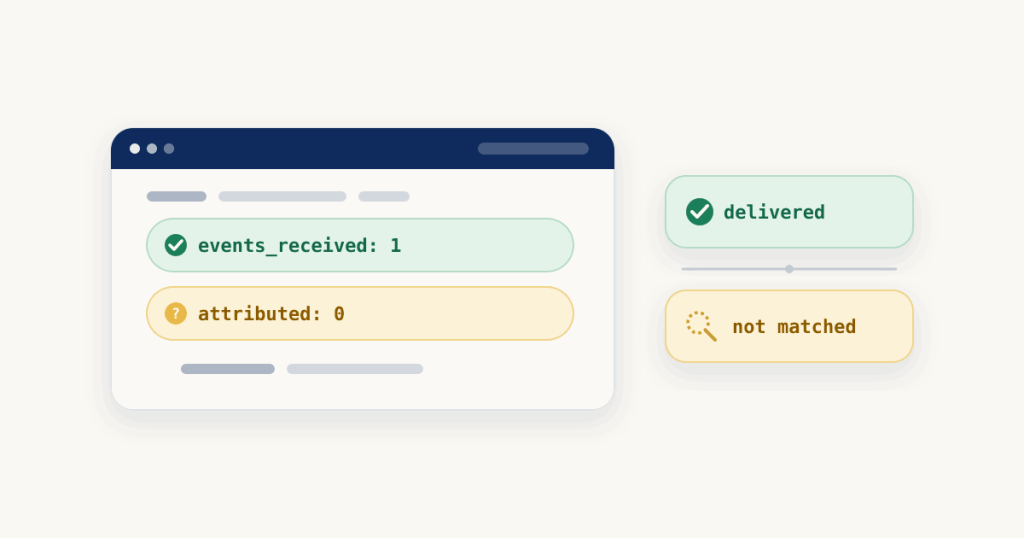
events_received confirms that Meta accepted your request and took delivery of the event. That is all. It does not mean the event was matched to an ad click, and it does not mean it will appear as a result. For business messaging from WhatsApp, Messenger or Instagram, Meta still has to tie the event to the originating ad click before it becomes a conversion, and that is where most events quietly fall out. The six causes below are the reasons a received event never gets there.
1. The event went to the wrong dataset
For business messaging you link one dataset to a page, and attribution is based on that page and dataset id. A successful event shows up in Events Manager for that one dataset. If your request used a different dataset id than the one you are viewing, the event was received, just not where you are looking. Confirm it by comparing the dataset id in your payload with the dataset open in Events Manager. Fix: send the event to the dataset linked to the page that is running the ad.
2. Received, but no ctwa_clid to attribute it
On WhatsApp, ctwa_clid is the identifier that points straight at the click-to-WhatsApp ad click. It arrives in the referral object of the first inbound message webhook, and you send it back in user_data when the conversion happens. Without it, Meta has taken delivery of the event but has nothing to attribute it to. On the On-Premises API, Meta marks ctwa_clid as a required field for this reason. Confirm it by checking whether user_data carried a ctwa_clid at all. Fix: capture it from the webhook and store it with the conversation, so it is there at conversion time.
This opens the Decode tab with a sample events_received response. Paste your own response there, then paste your payload in Check a payload. Every check runs in your browser.
3. Wrong or missing identifiers on Messenger and Instagram
Attribution is based on the page and dataset id, and each channel identifies the user differently. Messenger uses a page-scoped id (page_scoped_user_id) together with page_id. Instagram uses an Instagram-scoped id (ig_sid) with instagram_business_account_id. A WhatsApp whatsapp_business_account_id is not a substitute for any of these, and a Messenger or Instagram event without its scoped id and account id has nothing for Meta to match. Confirm it by checking that each event carries the identifier for the channel it came from. Fix: send the right scoped id and account id for the channel, not the WhatsApp one.
4. The event name is not on the supported list
Business messaging attributes only a fixed set of event names: Purchase, LeadSubmitted, InitiateCheckout, AddToCart, ViewContent, OrderCreated, OrderShipped, OrderDelivered, OrderCanceled, OrderReturned, CartAbandoned, QualifiedLead, RatingProvided and ReviewProvided. A custom name, or a website event name you reused, is received but will not attribute as a messaging conversion. Fix: map your action to the closest supported event name and resend.
5. The event is sitting in Test Events
If your payload still carries a test_event_code, the event shows up in the Test Events tab rather than where you expected it. Meta does not drop these events, and they still flow into Events Manager and count toward measurement, so the danger is the opposite of ignoring them: you leave the code in by accident and send real traffic through a test code. Confirm it by checking the Test Events tab and your payload. Fix: remove test_event_code from your production payload.
6. events_received is lower than the number you sent
If you sent a batch and events_received comes back lower than the count you sent, the rest were not recorded. Check the same response for an error message and an fbtrace_id. Remember that Meta rejects an entire batch if any event in it is invalid, and returns an error for the whole request if any event is more than seven days old, so one bad row can take the batch with it. Fix: correct or drop the failing events and resend the rest.
How to stop it happening again
Send ctwa_clid every time you have it, to the dataset linked to the page running the ad, with a supported event name and no test code in production. After that, allow some time, since attributed results do not always appear the moment the event lands, and check the dataset in Events Manager rather than Ads Manager first.
For the full setup from webhook to conversion, see how to track WhatsApp conversions, and for why a received event still is not attributed, click to WhatsApp ads attribution goes deeper. If the problem is a missing ctwa_clid at the webhook, that is its own fix. More single error fixes are on the debug hub, and chat events can be checked in the CAPI Debugger. Meta’s own references are the Conversions API for Business Messaging guide and using the Conversions API.
Frequently asked questions
Does events_received 1 mean the conversion will show in Ads Manager?
No. events_received only confirms Meta took delivery of the event. It still has to be matched to an ad click through ctwa_clid or the right scoped id before it becomes an attributed conversion, so a received event is not yet a result.
Why is my event received but not attributed?
Because Meta has nothing to tie it to the originating ad click. On WhatsApp that means no ctwa_clid was sent, and on Messenger or Instagram it means the page-scoped or Instagram-scoped id and page id were missing or wrong. Delivery succeeds, matching does not.
Do events sent with a test_event_code still count?
Yes. Meta does not drop events sent with a test_event_code, and they flow into Events Manager and count toward measurement. That is exactly why you must remove the code from your production payload rather than leave it in.