Track WhatsApp Conversions: 6 Proven Steps From Ad Click to Sale
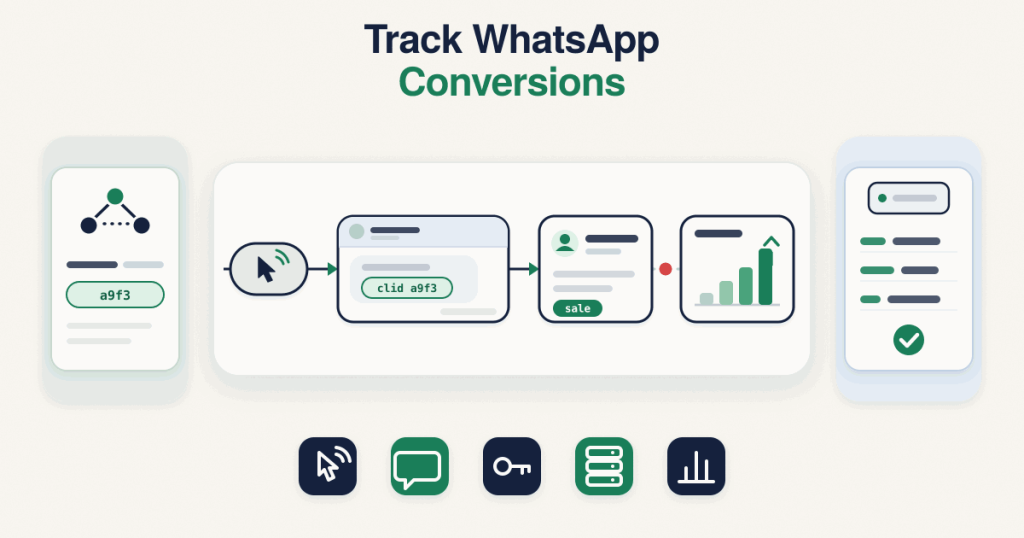
To track WhatsApp conversions from Click-to-WhatsApp ads, capture the ctwa_clid from the referral object in the first inbound message webhook, store it with the lead, and when the sale or lead happens, send it to Meta through the Conversions API for business messaging, with action_source set to business_messaging and messaging_channel set to whatsapp. That link back is what makes the result appear against the ad.This is a practical guide for owners and marketers, not an API reference. It covers only chats that start from a Click-to-WhatsApp ad. For how the Conversions API itself works, see the pillar on the
Meta Conversions API for business messaging.
Why don’t WhatsApp sales show in Ads Manager by default?
Meta can see that someone clicked your ad and opened a chat, but it cannot see what happened inside that conversation. The sale closes in WhatsApp, your CRM or your panel, somewhere Meta has no view into, so Ads Manager shows the click and the chat but not the revenue. To make WhatsApp sales tracking work, you have to send the result back to Meta yourself and tie it to the exact ad click, which is what the steps below do.
Step 1: Where does the ctwa_clid come from?
The ctwa_clid is the Click-to-WhatsApp click ID, and it arrives on the first message a person sends after clicking your ad. In the WhatsApp Cloud API messages webhook, that first inbound message carries a referral object, and the ctwa_clid sits inside it, alongside details like the source type and headline. It is the single value that ties this conversation back to the ad click.One exception worth knowing: for ads shown in WhatsApp Status placements, Meta omits the ctwa_clid, so not every Click-to-WhatsApp chat will have one.
Step 2: Store the ctwa_clid with the lead
As soon as that first message arrives, save the ctwa_clid against the contact in whatever holds your leads, a CRM, a panel or even a sheet. Store it exactly as received, and never hash it, because Meta needs the raw value to match the conversion later. If you lose it here, there is no second chance to recover it for that chat, so capturing it on the first message is the step everything else depends on.
Step 3: Mark the sale or lead in your system when it happens
The ctwa_clid is only half the record. You also need to know when the real outcome happens, the moment the lead becomes a sale, a booking or a qualified lead. Record that event in your system against the same contact, so you have both the ctwa_clid and a clear signal that something worth reporting occurred. Without this, you have the click ID but nothing to attach it to.
Step 4: Send the event to Meta with the Conversions API for WhatsApp
When the outcome happens, send a server event to Meta. Using the Conversions API for WhatsApp, the event goes to your dataset, not a pixel, and carries a specific shape. The core fields, confirmed in Meta’s documentation, are a supported event_name, the event_time, action_source as business_messaging, messaging_channel as whatsapp, and a user_data object holding your WhatsApp Business Account ID and the stored ctwa_clid. Purchase and value details go in custom_data.
POST https://graph.facebook.com/{DATASET_ID}/events
{
  "data": [
    {
      "event_name": "Purchase",
      "event_time": 1731300000,
      "action_source": "business_messaging",
      "messaging_channel": "whatsapp",
      "user_data": {
        "whatsapp_business_account_id": "WABA_ID",
        "ctwa_clid": "CTWA_CLID_FROM_STEP_1"
      },
      "custom_data": {
        "currency": "USD",
        "value": "49.00"
      }
    }
  ],
  "partner_agent": "YOUR_PARTNER_NAME"
}
Use an event name Meta actually supports for business messaging, such as Purchase for a sale or LeadSubmitted for a lead. Before you send anything live, you can paste a payload into the free
CAPI debugger to check the fields first. Every check runs in your browser.
Step 5: Test with a test event code before going live
Do not point production traffic at an untested setup. The Conversions API accepts a test event code that routes your events to the Test events view in Events Manager, where you can confirm the event arrives with the right fields and the ctwa_clid attached, without affecting live reporting. Send a few test events, confirm they look right, then remove the test code so real events count.
Step 6: Check the event in Events Manager, and know that received does not mean attributed
Once live, watch the dataset in Events Manager to confirm your events are arriving and that the ctwa_clid is present on them. This is the single most useful check, because a missing or empty ctwa_clid is the most common reason a conversion never ties back to the ad. One honest point: an event being received by Meta is not the same as it being attributed to the ad in Ads Manager. Matching and attribution happen on Meta’s side and depend on the data and timing, so treat a received event as necessary but not a guarantee of a reported conversion. For how Meta decides which ad gets the credit and why the numbers differ, see
click to WhatsApp ads attribution.
What if my WhatsApp provider or CRM does not pass the ctwa_clid?
This is the common blocker. Many WhatsApp providers and CRM connectors never expose the referral object, so the ctwa_clid never reaches the place you store leads, and every conversion you send goes out without it. If you cannot find the ctwa_clid on your inbound messages, that is where the chain is broken, and it is covered in
ctwa_clid missing from the WhatsApp webhook. The fix is to make sure whatever receives your messages reads and keeps the referral object, which sometimes means changing how the provider is set up, or handling the webhook yourself.
Get it built for you
If you would rather have this built and tested than wire it up yourself, capturing the ctwa_clid, storing it, mapping your events and sending them to Meta through the Conversions API is something I set up as a service. The
WhatsApp conversion tracking setup covers how I scope and build it, and more single error fixes are on the
debug hub.
Frequently asked questions
Do I need the pixel to track WhatsApp conversions from ads?
No. Conversions from business messaging go to a dataset through the Conversions API, not to a pixel. You get the dataset for your WhatsApp Business Account and send events to it with action_source business_messaging and messaging_channel whatsapp.
Should I hash the ctwa_clid before sending it?
No. The ctwa_clid is sent raw, exactly as it arrived in the referral object. It is a click ID, not personal data, so hashing it stops Meta from matching the conversion.
Which event names can I send?
Use the event names Meta supports for business messaging, such as Purchase and LeadSubmitted, among others in its list. Do not assume an event name from web tracking is supported here; send one that appears in Meta’s supported list.
Why is my ctwa_clid missing on some chats?
Two common reasons. Ads shown in WhatsApp Status placements omit the ctwa_clid entirely, and many providers or CRMs never pass the referral object through, so the value never reaches your system. If it is missing across the board, the provider setup is the place to look.
Does a received event mean the sale is attributed?
No. Meta receiving your event is not the same as Meta attributing it to the ad. Matching and attribution happen on Meta’s side and depend on the data and timing, so a received event is necessary but not a guarantee that Ads Manager will report a conversion.