ctwa_clid Missing: 9 Causes and Easy Fixes for WhatsApp
Table of Contents
ToggleShort answer: ctwa_clid is missing because it never reached your system, or because it reached your system on a message you did not read. Meta puts the click ID in the referral object of the incoming WhatsApp webhook message, and only for messages that start from a Click to WhatsApp ad. Check how your number is connected, log the raw webhook body, and save the click ID as soon as it arrives.
This guide is for developers, marketers and agencies who send WhatsApp conversions to Meta through the Conversions API. Below you will find what ctwa_clid is and where it arrives, a wrong and a fixed payload, nine causes with a way to confirm each one, how to store the click ID, and how to confirm the fix.
The button opens the CAPI debugger with a WhatsApp Purchase event that has no ctwa_clid. Everything runs in your browser.
What ctwa_clid is and where it arrives
Meta’s guide to the Conversions API for Business Messaging describes ctwa_clid as a personal identifier, unique per click. It is exposed to your business when the person starting the conversation came from a Click to WhatsApp ad, and it comes from the referral object in the Messages webhook. In the Cloud API webhook, that is messages[0].referral.ctwa_clid.
Meta’s webhook reference adds two limits. The referral object is only included when the message was sent through a Click to WhatsApp ad, and the ctwa_clid property is omitted entirely for messages that come from an ad in WhatsApp Status.
Sources: Meta, Conversions API for Business Messaging and Meta, WhatsApp webhook reference for messages.
Why a WhatsApp chat event without ctwa_clid is a problem
ctwa_clid is the link between a WhatsApp chat and the ad click that started it. Meta’s guide says to send it whenever you have it, and says it matches more reliably than hashed customer information. When it is missing, your conversion has to be matched in a less reliable way, and some of your sales may not be credited to the ad that earned them.
Send the value exactly as it arrived. Meta lists ctwa_clid as a field you must not hash, so a hashed click ID matches nothing.
Wrong payload vs fixed payload
Here is a WhatsApp Purchase event with no ctwa_clid in user_data:
{
  "data": [
    {
      "event_name": "Purchase",
      "event_time": 1761570000,
      "event_id": "order_58213",
      "action_source": "business_messaging",
      "messaging_channel": "whatsapp",
      "user_data": {
        "whatsapp_business_account_id": "123456789012345"
      },
      "custom_data": {
        "currency": "USD",
        "value": 49.0
      }
    }
  ]
}
And the fixed version, with the click ID saved from the chat and added exactly as it arrived:
{
  "data": [
    {
      "event_name": "Purchase",
      "event_time": 1761570000,
      "event_id": "order_58213",
      "action_source": "business_messaging",
      "messaging_channel": "whatsapp",
      "user_data": {
        "whatsapp_business_account_id": "123456789012345",
        "ctwa_clid": "ARAExampleClickId0123456789"
      },
      "custom_data": {
        "currency": "USD",
        "value": 49.0
      }
    }
  ]
}
All IDs above are made up. Use your own WhatsApp Business Account ID and the real ctwa_clid from the chat. The event name Purchase is one of the names Meta lists for chat events, as the error 2804066 guide explains.
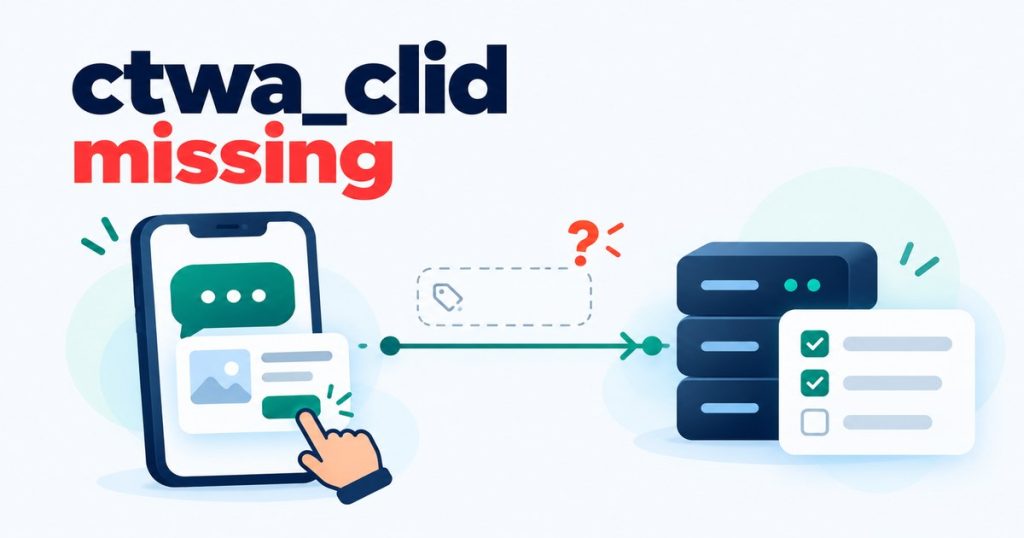
9 causes of ctwa_clid missing in a WhatsApp webhook
Each cause below says how to confirm it. Each one also says where the statement comes from: Meta’s documentation, or practice. Causes marked “In practice” are commonly seen in real setups. They are not statements from Meta.Not sure which cause applies to you? The debugger can ask a few questions and rank the likely causes for your setup:1. The WhatsApp Business app has no webhooks
The click ID reaches you through the Messages webhook. The WhatsApp Business app on its own does not send webhooks, so there is nothing that can deliver the referral object to your system. In practice.How to confirm: check how the number is connected. If it runs on the Business app alone, move it to the Cloud API or to Coexistence.2. Unofficial APIs do not receive the ad referral
Meta describes the click ID as coming from the referral object in its own Messages webhook, for the Cloud API and the On-Premises API. QR-code and other unofficial connections do not use that webhook, and in practice they do not get the click ID from Meta. Meta’s pages do not discuss unofficial APIs.How to confirm: check whether your connection is the official Cloud API. If it is not, move to the official Cloud API.3. Something between WhatsApp and your system drops it
Gateways, automation tools such as n8n or Make, and some providers pass on the message text but not the referral object. In practice.How to confirm: log the raw webhook body at the very first step, before any mapping, and look formessages[0].referral. If it is there at the start but missing later, a step in between is dropping it.4. You are reading it from the wrong place
Meta says thereferral object is only included for messages sent through a Click to WhatsApp ad. In practice the click ID is seen on the first message after the click, and later messages in the same chat do not carry it. Reading it from every message, or from another part of the webhook, will miss it.How to confirm: read it from messages[0].referral of the incoming message. Save it with the conversation when the first message arrives, then reuse it for every conversion from that chat.5. Ads in WhatsApp Status do not send a click ID
This one is documented. Meta’s webhook reference says thectwa_clid property is omitted entirely for messages that originate from an ad in WhatsApp Status. Those chats arrive with no click ID, however well your setup works.How to confirm: break your results down by placement in Ads Manager and see how many chats came from Status. If attribution matters more to you than reach, you can leave the Status placement out.6. Clicks from a computer may arrive without it
Clicks from a desktop computer, or from Instagram in a web browser, can reach WhatsApp without a click ID. In practice.How to confirm: compare the chats with no click ID against the device breakdown in Ads Manager. If the missing chats match the desktop share, this is the cause.7. The person changed the first message
If someone removes the ad preview card or does not send the prefilled message, the referral can be missing. In practice.How to confirm: click your own ad from a phone, send the prefilled message as it is, and check the raw webhook. Then repeat it after editing the message and compare.8. The ad was gone when they messaged
If the ad was paused or deleted before the message arrived, or the person tapped the post instead of the ad, there may be no click ID. In practice.How to confirm: keep your ads running while you test, and test with an ad that is active.9. Coexistence numbers sometimes miss it
Some developers report missing click IDs on Coexistence numbers. This is a community report and Meta has not confirmed it, so treat it as something to rule out, not as a known rule.How to confirm: click one of your ads and check the raw webhook on that number.How to store ctwa_clid so every conversion can use it
Meta’s guide says to store the click ID with the conversation, and to send it when a conversion has happened within that conversation. In practice that means:- Keep one ctwa_clid per conversation, and save it when the first message arrives.
- Attach the same value to every later conversion event from that chat, including a Purchase that happens days later.
- Do not overwrite it, trim it, add quote marks or hash it. Send it exactly as received.
- Send each conversion soon after it happens. Meta’s guide ties a seven day attribution window to the hashed customer information path, and says ctwa_clid is not subject to those limits. It states no time limit for ctwa_clid itself, so do not let conversions sit for weeks. In practice, very late events are the ones most likely not to be credited.
user_data together with page_id. Read that section in Meta’s guide before you rely on it, because it is less reliable than the click ID.How to confirm the fix
- Click your own ad from a phone and send the prefilled message.
- Look at the raw webhook body for that message and confirm
messages[0].referral.ctwa_clidis there. - Check that your system stored it against the conversation, then trigger a test conversion for that chat.
- Paste the event into the debugger. The check for a missing ctwa_clid should be gone, and it also flags a click ID that is hashed or carries spaces or quote marks.