Click to WhatsApp Ads Attribution: 7 Honest Answers on Who Gets the Credit
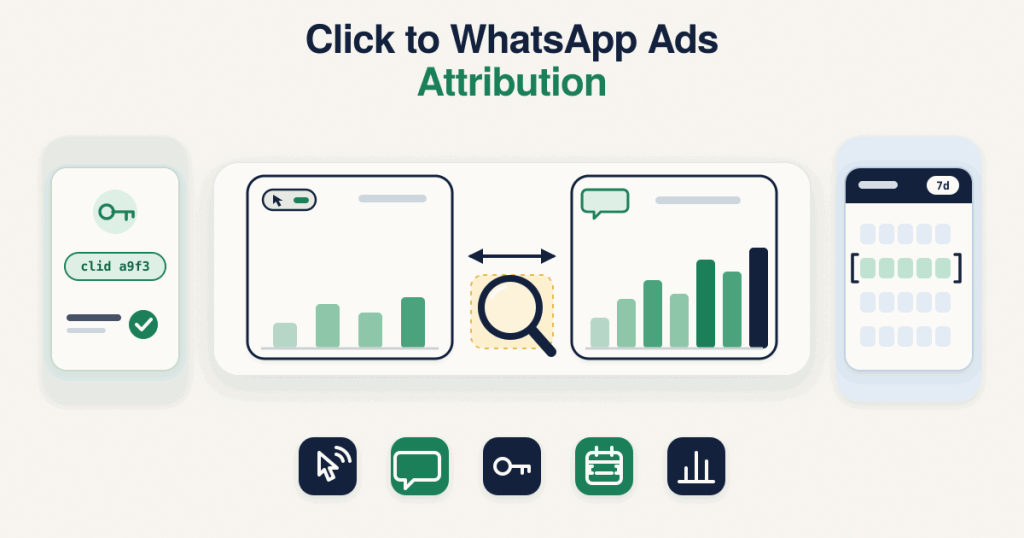
Click to WhatsApp ads attribution is how Meta decides which ad gets credit for a sale or lead that closed inside a WhatsApp chat. When the conversion you send back carries the ctwa_clid from the ad click, Meta ties the result to that exact click. Without it, Meta falls back to matching by customer information within your attribution window, which is less reliable, and credit goes to the last Meta touch before the event.This post is about reading the numbers, not setting up the tracking. For the step by step on capturing the ctwa_clid, storing it and sending events, see
track WhatsApp conversions. For how the API itself works, see the pillar on the
Meta Conversions API for business messaging.
How does Meta know a WhatsApp sale came from an ad?
Meta can only connect a chat sale to an ad if you hand it a link back. The strongest link is the ctwa_clid, the click ID that arrives on the first message after someone taps a Click-to-WhatsApp ad. When you send the conversion with that value, Meta ties it to the exact click with no guessing involved.If the ctwa_clid is missing, Meta has to match the conversion by customer information instead, which depends on the data you send and is less certain. That is the single biggest factor in whether a sale is credited, so the whole of click to WhatsApp ads attribution rests on that value being present.
What is the Click to WhatsApp ads attribution window?
The attribution window is the period within which a conversion can be credited to an ad interaction. For a conversion tied directly by ctwa_clid, the click itself is the anchor. For a conversion matched by customer information, Meta looks back to a recent ad interaction within the window set for your campaign, and credits the last Meta touch before the event.Meta’s documentation ties this to the attribution window settings on the campaign rather than a single fixed number, so the exact ctwa attribution window depends on your settings. Check your campaign’s attribution setting in Ads Manager and Meta’s own documentation for the current options rather than assuming a figure.
Why do Ads Manager numbers differ from my WhatsApp sales?
This is the question every business asks, and a gap is normal. Ads Manager shows only the conversions Meta could attribute to an ad, while your WhatsApp records show every sale, including ones that never came from an ad at all. Reading the two as if they should match is the mistake, because they are counting different things. Messaging conversions in Ads Manager are a subset: the sales Meta both received and matched to a click inside the window.Common reasons the two diverge: a sale closed after the window, the ctwa_clid was missing so the event could not be tied to a click, the event went to the wrong dataset, the event was received but not matched, or the chat simply did not start from an ad.
Why are my WhatsApp ads conversions not showing at all?
If WhatsApp ads conversions are not showing in the slightest, the chain is broken somewhere before attribution even begins. Either the events are not reaching Meta, or they are reaching Meta without the ctwa_clid, so nothing can be matched. A sale you can see in your own system but not in Ads Manager has almost always fallen at one of those two points.Start by confirming the event is arriving in the right dataset in Events Manager, then confirm the ctwa_clid is present on it. If the value is missing, fix that first, because no attribution setting will recover a conversion Meta cannot tie to a click.
Which campaign objectives and optimization goals can use WhatsApp sales?
Click-to-WhatsApp ads can be optimised for different goals, from starting conversations to driving conversions, and Meta has been expanding how messaging conversions feed optimisation. The exact objective names and optimisation options change over time and differ by account, so rather than quote a list that may be stale, check the current choices in Ads Manager when you build the campaign. What matters for attribution is that the conversions you send are the ones you want the campaign measured and optimised against.
Received is not attributed
An event showing as received by Meta is not the same as that event being attributed to an ad. Receiving means your payload arrived; attribution means Meta matched it to a click within the window and credited it. A dataset can be full of received events while Ads Manager still shows few conversions, because matching happens on Meta’s side and depends on the ctwa_clid and timing. For checking whether events are arriving and well formed before you worry about attribution, the
debug hub covers the common events received questions, and you can test a payload in the free
CAPI debugger first. Every check runs in your browser.
How do I read the results honestly?
Treat Ads Manager and your own records as two different lenses, not one truth and one error. Compare them over the same date range and the same attribution window, expect a gap, and watch the trend rather than a single day. If attributed conversions rise and fall with your own sales over time, the tracking is doing its job even when the daily numbers do not line up. Click to WhatsApp ads attribution is about direction and proportion, not a perfect one to one count, and reading it that way saves you from chasing differences that are built into how the system works. Meta documents the mechanics in its
Conversions API for Business Messaging guide and its guide to
setting up conversion measurement.
Want this set up and read for you?
If you would rather have the tracking built and the reporting explained than piece it together yourself, capturing the ctwa_clid, sending clean events and setting up the reporting so the numbers make sense is something I handle as a service. The
WhatsApp conversion tracking setup covers how I scope and build it.
Frequently asked questions
Why is my WhatsApp sale count higher in my CRM than in Ads Manager?
Because they count different things. Your CRM shows every sale, while Ads Manager shows only the ones Meta could attribute to an ad within the window. Sales with no ad behind them, or with a missing ctwa_clid, never appear in Ads Manager, so a higher CRM number is expected.
Does a conversion always get credited if I send it?
No. Sending a conversion is necessary but not enough. Meta still has to match it to an ad click within the attribution window, which depends on the ctwa_clid and timing, so a sent event is not a guaranteed attributed conversion.
What happens if the ctwa_clid is missing?
Meta falls back to matching by customer information, which is less reliable than a direct click match, and some conversions will not be credited at all. A missing ctwa_clid is the most common reason chat sales do not show against an ad.
Which attribution window should I compare against?
Compare your own records against the same attribution window your campaign uses in Ads Manager. Meta ties attribution to the window settings rather than a fixed number, so check the setting on your campaign and use that same window when you look at your own data.
Does a late sale still get attributed?
Only if it falls inside the attribution window. A sale that closes after the window has passed will show in your own records but may never be credited to the ad, which is a common reason the two numbers differ.