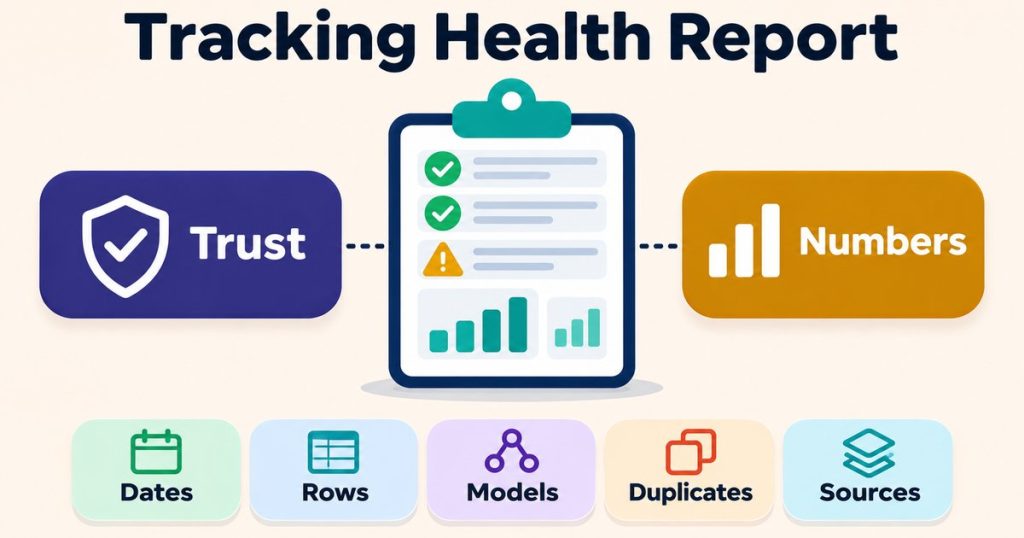
Tracking Health Report: 7 Essential Checks to Trust Your Numbers
A tracking health report answers one question before anyone acts on a dashboard: can these numbers be trusted? It does not add new tracking. It checks the data you already collect, in GA4, in Meta and in WhatsApp, and tells you which numbers are solid, which are still moving, and which cannot be traced back to where they came from.Reporting problems can be quiet. A report is read before the data has settled, two tools count the same thing in different ways, or one row quietly holds values nobody can see. Each of these can change a decision without anyone noticing. This guide explains what a tracking health report is and walks through seven checks, each tied to what Google or Meta document about how their data behaves.
What a tracking health report is
A tracking health report is a written review of your measurement data. For each check, it records what was tested, the result, and where the number came from. It is not a dashboard and it is not a fix. It is a set of findings you can read, question and act on.This is how I build a tracking health report, and the same rules run through my
reporting service. These are my own method rules, not Google or Meta requirements:
- Every number shows its source and how it was calculated.
- Failed checks, and checks that could not run, are never hidden.
- A coverage section lists what was not checked.
- Commentary is written only from computed values.
- No personal data is included, and phone numbers are masked to the last 4 digits.
- The report contains findings only. No fixes are applied.
7 checks in a tracking health report
1. The date range has settled
Recent data is not final data. Google’s
GA4 data freshness article lists daily freshness for standard properties starting at about 12 hours, and says data processing can take 24 to 48 hours, during which data in your reports may change. It also says attribution credit for key events can change for up to 12 days after the key event is recorded, and that some data can arrive up to 7 days late.
What the check does: confirms the report period is old enough for the numbers being compared, and flags any figure taken from the last few days as still moving. A tracking health report that compares this week with last week, using data from yesterday, is comparing a draft with a final.
2. The same definitions across tools
A “conversion” in GA4, a “purchase” in Meta and a “deal” in a CRM are not always counted the same way. The same is true inside one tool. Google’s article on
custom channel groups says they are not supported in the BigQuery export schema or in the Key events paths report, so a channel total built on a custom group can differ between surfaces.
What the check does: writes down the definition behind each compared number, including the event, the channel grouping and the attribution setting, and only compares numbers that share a definition.
3. The “(other)” row is not hiding values
Google’s
cardinality article defines high-cardinality dimensions as those with more than 500 unique values in one day, says Google Analytics has a cardinality limit of 50,000 values, and says data beyond a report’s row limit is grouped into the “(other)” row.
What the check does: looks for an “(other)” row in the reports used for decisions and measures how much of the total it holds. If a large share of conversions sits in “(other)”, a campaign or page breakdown in that report is incomplete, however tidy it looks.
4. Modelled data is separated from observed data
When visitors deny analytics consent, GA4 can fill part of the gap with behavioural modelling. Google’s
behavioural modelling article sets thresholds: at least 1,000 events per day with analytics_storage denied for at least 7 days, and at least 1,000 daily users with analytics_storage granted on at least 7 of the previous 28 days. It says meeting these doesn’t guarantee eligibility, that modelling is only included when there is high confidence of model quality, and that data export, for example BigQuery export, is not supported.
What the check does: records whether the property uses modelled data, and never compares a modelled GA4 figure with a BigQuery or CRM figure as if both were observed counts.
5. Conversions are not counted twice
If you send the same conversion from both the browser and the server, it is only safe when the two are matched. Meta’s
deduplication guide matches events by their ID and name: the Pixel’s eventID must match the Conversions API’s event_id, and the event names must match. Within 48 hours, Meta discards the later copies. Meta does not deduplicate events when only one source is used, browser only or server only.
What the check does: confirms that paired events share an ID and a name, and flags a single source that sends the same order twice, because Meta will not remove those duplicates for you.
6. WhatsApp can actually send
If leads and sales run through WhatsApp, a reporting gap can start with messages that never went out. Meta’s
WhatsApp health status documentation describes a health_status field on the WhatsApp Business Account, the business phone number and the message template. Its can_send_message value is AVAILABLE, LIMITED or BLOCKED. LIMITED comes with additional_info that explains the restriction, and BLOCKED comes with errors that include a possible_solution. The overall status is BLOCKED if any part is blocked, otherwise LIMITED if any part is limited, and AVAILABLE only when every part is available.
What the check does: reads the health status for the account, the numbers and the templates in use, and records any LIMITED or BLOCKED part next to the period it affects. The free
WhatsApp health status checker gives a plain reading of the same response.
7. Every number can be traced
The last check ties the tracking health report together. Each number in the report should lead back to a source, a date range, a definition and a calculation. If a figure in a dashboard cannot be traced that way, it is a claim, not a measurement.
What the check does: follows each headline number back to its source and marks any number that cannot be traced, instead of quietly dropping it.
Reading a tracking health report
A useful tracking health report is short at the top and detailed underneath. The summary lists which checks passed, which failed, and which could not run, followed by the coverage section, so you know exactly what the report does not tell you. Every finding links to the number behind it. If an AI tool writes the report, the
AI marketing report accuracy checklist lists the checks to run before it is shared.The report also connects to the rest of your measurement work. If part of your traffic comes from AI assistants, the guide on
GA4 AI traffic tracking covers that traffic in GA4, which gives check 2 a clearer channel definition to work with.
Request a tracking health audit
If you want a written tracking health report for your own GA4, Meta and WhatsApp setup, send a short description of your tools and what you report on to contact@alfahadhridoy.com and ask for a quote. All work is handled in writing. The
tracking health audit delivers findings only, with no fixes applied.
Frequently asked questions
What is a tracking health report?
A tracking health report is a written review of your measurement data. For each check, it records what was tested, the result and the source of every number, and it lists what was not checked.
How long should I wait before trusting GA4 numbers?
Google says data processing can take 24 to 48 hours, attribution credit for key events can change for up to 12 days, and some data can arrive up to 7 days late. Avoid treating the last few days as final.
Why does GA4 show an “(other)” row?
Google says data beyond a report’s row limit is grouped into the “(other)” row. It is linked to high cardinality, which Google defines as more than 500 unique values in one day for a dimension.
Does Meta remove duplicate conversions automatically?
Only when the Pixel and the Conversions API send the same event with a matching ID and name, within 48 hours. Meta does not deduplicate events that come from a single source only.
Does a tracking health report fix the problems it finds?
No. A tracking health report contains findings only. It shows what is wrong and where the evidence comes from, and no fixes are applied as part of it.