Table of Contents
ToggleAppsFlyer vs Adjust: Which is the Better MMP in 2026?
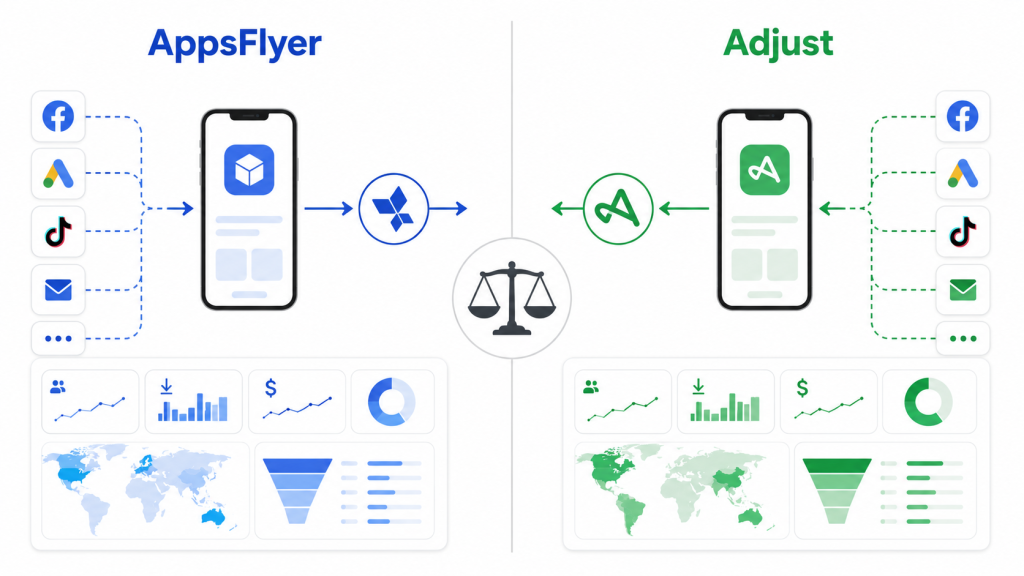
If you are comparing AppsFlyer vs Adjust for your mobile
app attribution setup, this guide gives you a direct,
honest comparison based on real implementation experience
with both platforms.
If you are setting up mobile attribution for your app and trying to decide between AppsFlyer and Adjust, this guide will give you a direct, honest comparison — based on real implementation experience with both platforms.
The short answer: both are excellent MMPs, but they are built for different situations. The right choice depends on your app type, team size, campaign complexity, and existing stack.
What Is an MMP and Why Does It Matter?
A Mobile Measurement Partner (MMP) is the platform that tells you where your app installs, in-app events, and revenue are coming from. Without an MMP, you are running paid user acquisition campaigns blind — you have no reliable way to know which ad network, creative, or campaign is actually driving growth.
AppsFlyer and Adjust are the two most widely used MMPs in the industry. Together they power attribution for thousands of apps across every category — fintech, e-commerce, gaming, SaaS, and more. For a deeper understanding of how mobile attribution works, see this mobile attribution guide.
AppsFlyer vs Adjust: Quick Comparison
| Feature | AppsFlyer | Adjust |
|---|---|---|
| Best for | Large-scale UA, complex campaigns | Mid-market apps, clean simple setup |
| SKAdNetwork support | Advanced — SKAN 4.0 ready | Strong — SKAN 4.0 supported |
| Deep linking | OneLink (powerful) | Dynamic links |
| Fraud protection | Protect360 (industry-leading) | Unbotify (solid) |
| Data transparency | Strong | Excellent — raw data access |
| Dashboard | Feature-rich, complex | Clean, intuitive |
| Pricing | Higher — based on installs | Competitive — flat pricing options |
| Ad network integrations | 10,000+ | 2,000+ |
| Free tier | Limited | Available |
AppsFlyer: Strengths and Weaknesses
✅ Where AppsFlyer Wins
1. Ad Network Integrations AppsFlyer integrates with over 10,000 ad networks, partners, and platforms. If you are running campaigns across multiple networks — Meta, Google, TikTok, AppLovin, ironSource, and others — AppsFlyer’s breadth of integrations is unmatched. Every network sends postbacks directly and reliably.
2. Fraud Protection AppsFlyer’s Protect360 is the most advanced mobile ad fraud protection solution in the industry. It uses machine learning to detect and block fraudulent installs in real time — click injection, SDK spoofing, device farms, and more. For apps spending significant budgets on user acquisition, fraud protection alone can justify the cost.
3. OneLink Deep Linking AppsFlyer’s OneLink is one of the most powerful deep linking solutions available. It handles deferred deep linking, web-to-app journeys, retargeting links, and smart banners — all from a single link structure. For apps with complex cross-platform user journeys, OneLink is significantly easier to manage than alternatives.
4. SKAdNetwork Support AppsFlyer was one of the first MMPs to support SKAdNetwork comprehensively. Their SKAN 4.0 implementation includes conversion value management, aggregated reporting, and campaign-level insights — giving you maximum iOS attribution coverage even in Apple’s privacy-preserving framework.
5. Ecosystem and Support AppsFlyer has the largest ecosystem of any MMP — extensive documentation, a large community, dedicated account managers for enterprise clients, and integrations with virtually every tool in the mobile marketing stack.
❌ Where AppsFlyer Falls Short
1. Pricing AppsFlyer is one of the more expensive MMPs on the market. Pricing is based on the number of attributed installs, which means costs scale quickly as your app grows. For early-stage apps or teams with limited budgets, the cost can be prohibitive.
2. Complexity AppsFlyer’s dashboard is extremely feature-rich — which also means it can be overwhelming. New users often struggle to find what they need, and misconfiguration is common without proper implementation support.
3. Data Transparency While AppsFlyer provides strong reporting, raw data access requires higher-tier plans. Some teams find it harder to extract and analyze data independently compared to Adjust.
Adjust: Strengths and Weaknesses
✅ Where Adjust Wins
1. Clean, Intuitive Dashboard Adjust’s interface is significantly cleaner and easier to navigate than AppsFlyer’s. Teams new to mobile attribution can get up and running faster, and day-to-day reporting is more straightforward.
2. Raw Data Access Adjust provides excellent raw data access across all plans. Every event, install, and session can be exported and analyzed independently. For data-driven teams that want full control over their analytics, this is a major advantage.
3. Pricing Transparency Adjust’s pricing is more transparent and predictable than AppsFlyer’s. They offer flat-rate pricing options that make budgeting easier — especially for growing apps where install volumes fluctuate.
4. Privacy and Compliance Adjust has invested heavily in privacy-compliant measurement — GDPR, CCPA, and Apple’s ATT framework. Their Privacy Sandbox support and consent-aware attribution make them a strong choice for apps operating in privacy-sensitive markets.
5. SKAdNetwork Support Adjust’s SKAN 4.0 implementation is solid and well-documented. Their conversion value management tools are clean and easy to configure, making iOS attribution setup more accessible for teams without deep MMP expertise.
❌ Where Adjust Falls Short
1. Fewer Ad Network Integrations Adjust integrates with around 2,000 partners — strong, but significantly fewer than AppsFlyer’s 10,000+. For apps running campaigns on niche or emerging ad networks, some integrations may be missing or require custom setup.
2. Deep Linking Adjust’s deep linking solution is functional but less sophisticated than AppsFlyer’s OneLink. For apps with complex deferred deep linking requirements or web-to-app journeys, the setup can be more involved.
3. Fraud Protection Adjust’s Unbotify fraud protection is solid but generally considered less comprehensive than AppsFlyer’s Protect360. For apps with large budgets and high fraud risk, this difference matters.
SKAdNetwork 4.0: AppsFlyer vs Adjust Deep Dive
SKAdNetwork 4.0 is Apple’s most significant update to its privacy-preserving attribution framework. Both AppsFlyer and Adjust support SKAN 4.0, but their implementations differ in important ways.
What SKAN 4.0 Changed
SKAN 4.0 introduced several major improvements over earlier versions:
- Conversion values expanded from 6-bit (64 values) to a combination of coarse and fine-grained values
- Three postback windows instead of one — giving you measurement across 0-2 days, 3-7 days, and 8-35 days post-install
- Crowd anonymity threshold — postbacks only fire when a campaign reaches a minimum install threshold
- Re-engagement measurement — SKAN 4.0 now supports re-engagement attribution alongside install attribution
- Web-to-app attribution support via AdAttributionKit
AppsFlyer SKAN 4.0 Implementation
AppsFlyer’s SKAN 4.0 support is one of the most comprehensive in the industry.
Key features:
- Conversion Studio — a visual interface for designing and managing your conversion value schema without writing code
- Aggregated Advanced Privacy reporting — campaign-level SKAN data combined with probabilistic attribution for a more complete iOS picture
- Automatic SKAdNetwork ID management — AppsFlyer maintains and updates the list of required SKAdNetwork IDs for your Info.plist
- SKAN Assist — AppsFlyer’s proprietary layer that fills gaps where SKAN postbacks are missing or below threshold
- Multi-touch support — AppsFlyer maps SKAN postback data across all three postback windows
How AppsFlyer handles conversion values:
AppsFlyer uses a 3-tier system for SKAN 4.0:
- Fine conversion values (0-63) — available in postback window 1 for high-volume campaigns
- Coarse conversion values (low/medium/high) — used in postback windows 2 and 3
- Null values — for campaigns below the crowd anonymity threshold
In Conversion Studio, you map these values to real events:
| Conversion Value | Event | Revenue Range |
|---|---|---|
| 0 | Install only | — |
| 1 | Registration | — |
| 2 | First purchase | $0-$10 |
| 3 | First purchase | $10-$50 |
| 4 | First purchase | $50+ |
| 5 | Subscription start | — |
| 6 | Trial start | — |
| 7 | Level complete | — |
Adjust SKAN 4.0 Implementation
Adjust’s SKAN 4.0 implementation is clean and well-documented — slightly simpler to configure than AppsFlyer’s but with less built-in automation.
Key features:
- Conversion value management via Adjust dashboard — straightforward schema builder
- DataScape reporting — unified view of SKAN postback data alongside other attribution sources
- Automatic postback window management — Adjust handles the timing of conversion value updates
- Privacy Sandbox compatibility — Adjust supports both SKAN and Android’s Privacy Sandbox for cross-platform privacy measurement
How Adjust handles conversion values:
Adjust uses a similar mapping approach but with less automation than AppsFlyer:
- You define the conversion schema in the Adjust dashboard
- The Adjust SDK updates conversion values based on your configured events
- Postback data flows into DataScape for reporting
The setup is more manual compared to AppsFlyer’s Conversion Studio, but the raw data output is arguably cleaner and easier to export for custom analysis.
AppsFlyer vs Adjust SKAN 4.0: Direct Comparison
| Feature | AppsFlyer | Adjust |
|---|---|---|
| SKAN 4.0 support | ✅ Full | ✅ Full |
| Conversion value UI | Conversion Studio (visual) | Dashboard builder (manual) |
| Postback window support | All 3 windows | All 3 windows |
| Re-engagement tracking | ✅ | ✅ |
| Below-threshold handling | SKAN Assist fills gaps | Standard null reporting |
| Raw SKAN data export | Higher tier plans | All plans |
| Setup complexity | Medium — more options | Lower — simpler setup |
| Probabilistic fallback | ✅ Strong | ✅ Good |
Which Is Better for SKAN 4.0?
AppsFlyer has a slight edge for teams that need:
- Maximum automation in conversion value management
- Gap-filling when campaigns are below the crowd anonymity threshold
- Deep integration with large-scale multi-network campaigns
Adjust has a slight edge for teams that need:
- Simpler setup with less configuration overhead
- Clean raw SKAN data for custom analysis in BigQuery or Snowflake
- Predictable pricing as iOS install volumes fluctuate
For most apps, both platforms provide sufficient SKAN 4.0 coverage. The difference becomes meaningful at scale — large budgets, multiple ad networks, and complex conversion schemas.
Which MMP Should You Choose?
Choose AppsFlyer if:
- You are running large-scale paid UA across multiple ad networks
- Ad fraud is a significant concern — you need Protect360
- You need advanced deep linking across web and app
- You have a dedicated marketing team comfortable with a complex platform
- You are already using tools that integrate natively with AppsFlyer
Choose Adjust if:
- You are a mid-market app that needs reliable attribution without complexity
- Your team values clean dashboards and raw data access
- Pricing transparency and predictable costs matter to you
- You operate in privacy-sensitive markets (Europe, healthcare, finance)
- You want to get set up quickly with less implementation overhead
What About Branch?
Branch is the third major MMP worth mentioning. It is not a direct competitor to AppsFlyer or Adjust in the same way — Branch’s primary strength is deep linking and cross-platform journeys. If your biggest challenge is connecting web, email, and app experiences seamlessly, Branch is worth evaluating alongside your MMP choice.
A Note on Stack-Agnostic Implementation
I work with both AppsFlyer and Adjust regularly — and my recommendation always depends on the client’s specific situation. There is no universally “better” MMP. What matters is choosing the right tool for your stack, your team, and your growth stage — and then implementing it correctly.
A poorly implemented AppsFlyer setup will give you worse data than a well-implemented Adjust setup, and vice versa. The tool matters less than the implementation.
FAQ
Is AppsFlyer better than Adjust? Neither is universally better. AppsFlyer is stronger for large-scale campaigns and fraud protection. Adjust is stronger for clean data access and pricing transparency. The right choice depends on your specific situation.
Can I switch from AppsFlyer to Adjust (or vice versa)? Yes — but it requires careful planning. You need to re-implement the SDK, reconfigure all postbacks, and manage a transition period where historical data lives in two systems. It is best done during a low-traffic period with proper QA.
Do I need both AppsFlyer and Adjust? No. You only need one MMP. Using both creates data conflicts, doubles SDK overhead, and makes attribution analysis impossible.
How much does AppsFlyer cost compared to Adjust? AppsFlyer pricing is install-based and scales with volume — typically starting higher than Adjust. Adjust offers more transparent flat-rate options. Both offer custom enterprise pricing. Contact both for a quote based on your install volume.
Which MMP is better for iOS attribution and SKAdNetwork? Both AppsFlyer and Adjust have strong SKAN 4.0 support. AppsFlyer has a slight edge in breadth of iOS-specific features. Adjust has a slight edge in setup simplicity and raw data access for SKAN reporting.