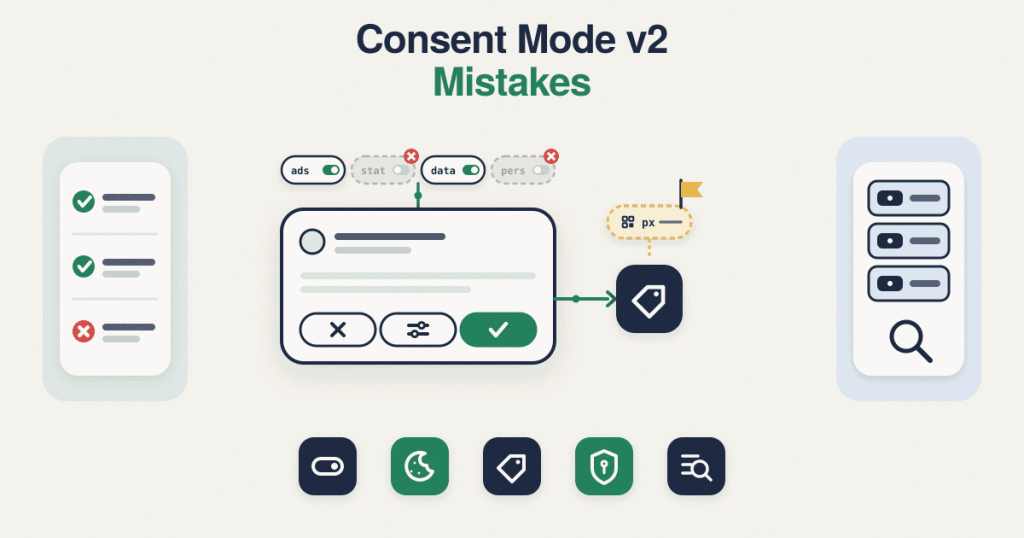
Consent Mode v2 Mistakes: 8 Silent Errors That Break EU Tracking
A consent banner can look perfectly fine and still send the wrong signals. That is what makes Consent Mode v2 mistakes so costly: nothing visibly breaks, the banner pops up, boxes get ticked, and underneath it your EU traffic is either losing data it should keep or sending data it should not. This pillar walks through the eight errors that cause most of it, with a link to the deeper post on each one.A quick note before the list. This is technical guidance, not legal advice, and privacy rules differ by country, so treat the fixes here as how to make your signals behave correctly, not as a ruling on what your business must do.
The 8 Consent Mode v2 mistakes, one by one
1. The default consent is not set before your tags load
Consent Mode only works if the default state, usually everything denied, is declared before any measurement tag fires. Google is explicit that the default command must run on every page before any command that sends data, and if it runs out of order the defaults simply do not apply. In Google Tag Manager this means the default has to fire on the Consent Initialization trigger, which runs ahead of everything else, not on a normal page view trigger. Get this wrong and tags can read a consent state that was never set. If you handle consent in code rather than through a tag manager, the ordering is just as strict, which is covered in consent mode without GTM.
2. Only two signals are set, when v2 needs four
The move from the first version of Consent Mode to v2 added two signals, ad_user_data and ad_personalization, on top of the original ad_storage and analytics_storage. A setup carried over from the old version often still sets only the first two, which leaves the v2 signals missing. Google’s advertising features that rely on user data for EU and UK traffic expect all four, so a two-signal setup is one of the most common Consent Mode v2 mistakes hiding in otherwise tidy accounts.
3. There is no update after the visitor chooses
Declaring the default is only half of it. When the visitor accepts or rejects, an update call has to tell Google the new state. Without it, the signals stay stuck at the denied default no matter what the person clicked, so genuine consent never reaches your tags. The same gap shows up when the choice is set but not remembered, so every new page starts from denied again.
4. The wait is missing or too short for the banner to load
Consent banners load asynchronously, which means a tag can fire in the split second before the banner has reported the visitor’s choice. The wait_for_update setting exists for exactly this, giving the consent tool a set number of milliseconds to update before data is sent. If it is missing, or set shorter than your banner actually needs to load, tags fire against the default and the real choice arrives too late to matter.
5. Non-Google tags are never gated
Consent Mode is a Google mechanism. It does not reach your Meta, TikTok, Pinterest or Microsoft tags, so those have to be gated separately, held back until consent is given. A store can have a flawless Google setup while its Meta Pixel fires on every visitor regardless of choice. Microsoft has its own consent handling, covered in Microsoft UET consent mode, and the general pattern of holding advertising pixels until consent is covered in how to block tracking pixels until consent.
6. Basic and advanced mode are chosen blindly
Consent Mode can run in a basic or an advanced way, and they behave very differently before consent. In basic mode the Google tags are blocked until the visitor agrees, so nothing is sent beforehand. In advanced mode the tags load and send cookieless pings before consent, which Google uses for modelling, with regional behaviour and other features available only in that mode. Picking one without understanding the trade-off is a decision made by accident, and it is worth making on purpose, which is the whole of consent mode basic versus advanced.
7. Server-side tracking is assumed to handle consent on its own
Moving tags to a server container does not move the consent decision with them. The server does not know what the visitor chose unless the consent state is sent to it from the browser; it reads and acts on what it is given, nothing more. Treating a server container as if it quietly respects consent by itself is a mistake that sends data the visitor declined, and the right way to pass consent through is covered in server-side tracking and consent.
8. The banner is checked by eye, never by request
The final mistake ties the others together. People confirm the banner appears and stop there, without ever checking the actual network requests to see what fired and what the signals carried. A banner that looks right can still be sending ad data on denial. Checking the requests, and testing from more than one region rather than only your own, is the only way to know. This is also where browser-level signals matter, such as Global Privacy Control, covered in Global Privacy Control and tracking.
Why these Consent Mode v2 mistakes stay hidden
None of these throw an error. The site loads, the banner shows, reports keep filling with numbers, so nothing screams for attention. The damage is quiet: audiences that slowly stop growing because the v2 signals are missing, or a privacy exposure because a pixel never waited for consent. That is why they survive for months. The only reliable way to catch them is to look past the banner at the signals and requests underneath.
Fixing it
If you want this set up correctly rather than guessed at, the consent setup is a one-time, fixed-scope job: either your existing banner is corrected, or a banner built to send the v2 signals is installed. You can see how that is scoped on the
Consent Mode v2 setup page. If you would rather know what is wrong before changing anything, a written review of your current signals and tag gating is a
Consent Mode v2 audit. Either way, requests are handled in writing with a quotation, no calls.Google’s own reference for the mechanics above is its guide to
setting up consent mode on websites.
Frequently asked questions
What actually changed in Consent Mode v2?
Version 2 added two signals, ad_user_data and ad_personalization, to the original ad_storage and analytics_storage. A setup built for the first version often still sends only the original two, which is why the missing pair is such a common fault.
Do I need a Google-certified CMP?
A certified consent management platform is a requirement for publishers who monetise with AdSense, Ad Manager or AdMob in the EEA and UK. It is not a general rule for advertisers, so for most ad accounts the focus is correct signals rather than a specific certified banner.
How do I know if my consent signals really work?
Looking at the banner is not enough. You have to check the actual requests the tags send, before and after a choice, to confirm the four signals are present, denied by default, and updated correctly. Testing from more than one region matters too.
Does server-side tracking remove the need for consent?
No. A server container only knows the consent state if the browser sends it. It does not decide consent on its own, so moving tags server-side without passing consent through can send data the visitor declined.
Is any of this legal advice?
No. This is technical guidance on making your signals behave correctly. Privacy rules differ by country and change over time, so confirm your own obligations with a qualified source.