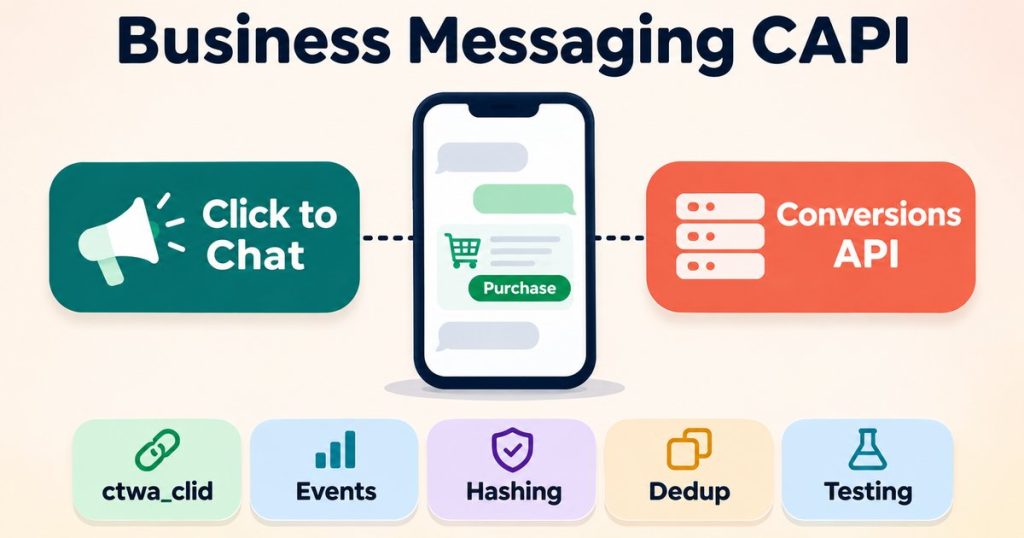
Meta Conversions API for Business Messaging: 7 Easy Steps
Table of Contents
ToggleMeta Conversions API for Business Messaging lets you tell Meta what happened after someone started a chat from one of your ads. The ad platform can see the click and the first message, but the sale, the qualified lead or the order often happens later, inside the chat or in a CRM. This guide explains how Meta Conversions API for Business Messaging works from start to finish, using Meta’s own documentation, and it lists the common problems with what to check for each, so you can find a fix quickly.
This guide is based on Meta’s official documentation, checked in November 2026. Advice is marked as advice, and a point that Meta’s pages do not state is marked as such. Meta’s pages also contradict each other in a couple of places, and I note those instead of picking a number for you.
Step 1: What Meta Conversions API for Business Messaging Is and When You Need It
Meta’s onboarding guide for the Conversions API for Business Messaging covers three kinds of ads: ads that click to Messenger, to WhatsApp and to Instagram Direct. For each one, your server sends Meta an event, such as a purchase or a qualified lead, tied to the person who clicked the ad. This guide follows WhatsApp most closely and covers Messenger and Instagram wherever they differ.
What it covers and what it does not
Meta says events should only describe interactions inside the messaging thread. If a conversion happens somewhere else, such as on your website or in your app, Meta’s FAQ says to send it through the matching Conversions API product: web for website conversions and app events for app conversions. Attribution for those still uses the web click ID. So Meta Conversions API for Business Messaging is not a replacement for your website setup. It is the part of your tracking that covers conversations.
When you need it
Advice: you need Meta Conversions API for Business Messaging when the sale or the qualified lead is confirmed in the chat, or later in a CRM after a conversation that began in a chat. A browser pixel cannot see those moments, because nothing loads in a browser when a salesperson marks a deal as won. Sending the event from your server is how Meta hears about it.
There is also an optimization angle. Meta’s FAQ says purchase optimization is available for ads that click to Messenger and WhatsApp, but not for Instagram, where campaigns can be optimized for conversations instead. That is a reason to get the Purchase event right even if your reporting needs are modest.
From Ad Click to Tracked Sale: How ctwa_clid Travels
Tap each step to see what happens there, and where real setups usually break.
- 1
Customer taps your Click to WhatsApp ad ctwa_clid is created
Meta attaches a click ID called
ctwa_clidto this tap. It is the only thread that ties the coming chat back to the exact ad and campaign.If it breaks here
- The ad is a normal link ad pointing to a wa.me link, not a real Click to WhatsApp ad, so no
ctwa_clidis ever created. See the debug guides.
- The ad is a normal link ad pointing to a wa.me link, not a real Click to WhatsApp ad, so no
- 2
WhatsApp opens and the first message is sent ctwa_clid rides along
The click ID travels invisibly with the messages the customer sends from that ad tap. It never appears in the chat window, so you cannot see it by looking at the conversation.
If it breaks here
- The customer messages your saved number directly instead of tapping the ad, so there is nothing to carry.
- The number runs on the On-Premises API older than 2.45.1, which does not pass
ctwa_clidthrough.
- 3
Meta delivers the message to your webhook Save ctwa_clid now
The webhook payload carries a
referralblock that containsctwa_clid. Your system must read it and store it with the conversation, because later messages do not repeat it.If it breaks here
- The webhook code ignores the
referralblock, or saves it against the wrong conversation. The thread to the ad is lost for good. Find the fix on the Debug page.
- The webhook code ignores the
- 4
The sale happens in the chat, your server reports it Send ctwa_clid back
Your server sends a Conversions API event with
action_sourceset tobusiness_messaging,messaging_channelset towhatsapp, your WhatsApp Business Account ID, and the savedctwa_clid.If it breaks here
- A website style event name with a chat event comes back as error 2804066.
- The dataset is not connected to your WhatsApp Business Account, which returns error 2804131. Both errors have full fixes on the Debug page.
- A payload field is wrong or missing. Paste the payload into the free debugger before you go live.
- 5
Meta matches the event to the exact ad ctwa_clid closes the loop
Meta uses
ctwa_clidto credit the conversion to the right campaign. The results show up in Events Manager and in your ads reporting as messaging conversions.If it breaks here
- Events arrive but nothing shows in reporting: a wrong dataset ID, a
test_event_codeleft in live traffic, or anevent_timeolder than 7 days. More guides on the Debug page.
- Events arrive but nothing shows in reporting: a wrong dataset ID, a
Step 2: What You Need Before You Send Anything
The requirements for Meta Conversions API for Business Messaging differ a little by channel. Start with WhatsApp, then check the Messenger and Instagram notes if you run those ads too.
WhatsApp requirements
For ads that click to WhatsApp, Meta’s guide lists these requirements and steps:
- A Facebook developer app with advanced access to
whatsapp_business_managementandwhatsapp_business_manage_events. - The Marketing API Access Tier feature. See the note on thresholds below.
- An integration with the Cloud API, which Meta recommends, or the On-Premises API, plus a login solution: Embedded Signup or Facebook Login for Business.
- An access token with both permissions. You can reuse the Embedded Signup token, or use a system user or user token that has them.
- The WhatsApp Business Account ID (
waba_id) from the completed Embedded Signup flow. - A dataset. A POST to the Dataset API at
/{WHATSAPP_BUSINESS_ACCOUNT_ID}/datasetcreates one, or returns the existing one, and a GET to the same endpoint retrieves thedataset_id. - The
ctwa_clid, taken from thereferralobject in the Messages webhook. Store it with the conversation, then send it when the conversion happens.
Messenger requirements
For ads that click to Messenger, Meta’s guide asks for a developer app integrated with the Messenger API and advanced access to the page_events permission. The token needs that permission, and you can reuse the one from Facebook Login for Business. You also need the page_id of the Page you report for. The dataset comes from a POST to /{PAGE_ID}/dataset, and the Page-scoped ID (PSID) comes from the Messages webhook.
Instagram requirements
For ads that click to Instagram Direct, the guide asks for the same kind of app and advanced access to instagram_manage_events. The token can come from Facebook Login for Business or from the Instagram API with Unified Login. You need the instagram_user_id, the dataset comes from a POST to /{IG_USER_ID}/dataset, and the Instagram-scoped ID comes from the Messages webhook.
A note on the access tier
Meta’s page carries a notice saying Ads Management Standard Access is now Marketing API Access Tier, with the Full Access threshold at 500 Marketing API calls in the past 15 days. Several sections of the same page still cite 1,500 calls. The notice looks like the newer figure, but Meta’s page does not say so outright, so read the current number on Meta’s page before you plan around it.
Which ID goes where
Mixing up IDs is easy, because several are long numbers that look alike. For WhatsApp:
- Dataset ID: comes from the Dataset API response and goes in the request URL, as
/{DATASET_ID}/events. - WhatsApp Business Account ID: comes from Embedded Signup. It is used in the Dataset API call and sent as
user_data.whatsapp_business_account_id. - Access token: comes from your login solution or system user. In Meta’s example it is the
access_tokenparameter. - ctwa_clid: comes from the
referralobject in the Messages webhook and goes inuser_data.ctwa_clid. - page_id: your Facebook Page. It goes in
user_data.page_id, which is required on the WhatsApp path without actwa_clid(covered in Step 3).
Meta’s FAQ adds two rules about datasets. Only one dataset can be linked to a Page, and existing datasets can be reused. Advice: keep the dataset ID and the account ID in clearly named variables in your code, because the request lands in the wrong place if you swap them.
Step 3: The Event Structure in Meta Conversions API for Business Messaging
Every event you send through Meta Conversions API for Business Messaging uses the same top level fields in the data array. The values below come from Meta’s guide unless marked otherwise.
| Field | What to send | Note |
|---|---|---|
event_name | One of 14 names | Listed below |
event_time | A Unix timestamp | The onboarding page gives no rules for it |
action_source | business_messaging | Used in all of Meta’s examples |
messaging_channel | whatsapp, messenger or instagram | The channel where the chat happened |
user_data | Depends on the channel | See the sections below |
custom_data | currency and value | The fields in Meta’s examples |
The 14 event names
Meta’s FAQ lists the supported names: Purchase, LeadSubmitted, InitiateCheckout, AddToCart, ViewContent, OrderCreated, OrderShipped, OrderDelivered, OrderCanceled, OrderReturned, CartAbandoned, QualifiedLead, RatingProvided and ReviewProvided. Names from your website setup, such as Lead, are not on that list. The list has LeadSubmitted instead.
Meta’s guide does not define each name, so the mapping below is my recommendation, not Meta’s wording:
- LeadSubmitted: the contact has shared details or asked for a quote inside the chat.
- QualifiedLead: your team has judged the lead worth pursuing.
- Purchase: the customer has paid, with
currencyandvaluefilled in. - OrderCreated, OrderShipped, OrderDelivered: the later stages of an order, if you track them.
Advice: send only the events you will actually use to judge your ads. A short, reliable list is easier to keep correct than all 14.
action_source and messaging_channel
Every example in Meta’s guide sets action_source to business_messaging. Meta’s general server event documentation lists other values, such as website, app, phone_call and chat. Advice: for this API, use business_messaging, as in Meta’s examples, and set messaging_channel to the channel where the conversation happened.
event_time
The onboarding page gives no rules for event_time. Meta’s general server event documentation says it can be up to 7 days before you send the event, and that one older event makes the whole request fail. That page describes the general Conversions API, so treat it as the best available guide for messaging events, not a statement about them. Advice: send each event soon after the conversion happens, so the timestamp never gets close to that limit.
user_data for WhatsApp
With a ctwa_clid: send whatsapp_business_account_id and ctwa_clid. Meta says to send the ctwa_clid whenever you have it, because it matches more reliably.
Without a ctwa_clid: Meta describes a separate path for cases such as a conversation that started before you stored click IDs. The event needs page_id, and Meta says an event without it is rejected even with valid customer information. It also needs whatsapp_business_account_id and at least one customer parameter from em, ph, fn, ln, ct, st, zp, country, ge or db, normalized and hashed with SHA-256. An external_id does not work for matching on this path. Meta lists three limits for it: matching is not guaranteed, events are attributed only to ad interactions from the past seven days, and the path is available in a subset of countries.
user_data for Messenger and Instagram
For Messenger, the sample uses page_id and page_scoped_user_id. For Instagram, it uses instagram_business_account_id and ig_sid. Those fields belong to their own channels. Advice: build each event from the sample for its own channel, so no field from another channel is left over.
Which values to hash
Meta’s customer information parameters page says the personal fields are normalized first and then hashed with SHA-256:
em(email): strip leading and trailing spaces, then lowercase.ph(phone): remove symbols, letters and leading zeros, and include the country code.fnandln(names): lowercase a to z letters without punctuation.ct,st,zp,country,geanddb: each has its own format rule on that page, for exampledbas YYYYMMDD andcountryas a lowercase two letter code.
The same page says ctwa_clid, page_id and page_scoped_user_id are not hashed. Do not hash the ctwa_clid.
Step 4: Send Your First Event to Meta Conversions API for Business Messaging
A minimal request for Meta Conversions API for Business Messaging is a POST to the events endpoint of your dataset, and this is Meta’s example for the ctwa_clid path. The IDs and the token below are placeholders in angle brackets, so replace each one with your own value and never publish a real token.
POST https://graph.facebook.com/v26.0/<DATASET_ID>/events?access_token=<ACCESS_TOKEN>
{
  "data": [
    {
      "event_name": "Purchase",
      "event_time": 1675999999,
      "action_source": "business_messaging",
      "messaging_channel": "whatsapp",
      "user_data": {
        "whatsapp_business_account_id": "<WHATSAPP_BUSINESS_ACCOUNT_ID>",
        "ctwa_clid": "<CLICK_TO_WHATSAPP_CLICK_ID>"
      },
      "custom_data": {
        "currency": "USD",
        "value": 123
      }
    }
  ],
  "partner_agent": "<PARTNER_NAME>"
}
Replace event_time. The value 1675999999 is the example from Meta’s page and is an old timestamp. Use the time the conversion actually happened, or the request will not fit the 7 day rule described above.
The API version in the URL is the one shown in Meta’s guide when it was checked, so confirm the current version on Meta’s page. The partner_agent field is in Meta’s sample for partner integrations. Meta’s FAQ says to use one app per partner so Meta can identify your events, and to set partner_agent to the name Meta assigned you if you already have several apps.
The path without a ctwa_clid
This is Meta’s second sample, for conversations where you have no click ID. Compare it with the first one: page_id is added, and hashed customer information replaces the click ID.
{
  "data": [
    {
      "event_name": "Purchase",
      "event_time": 1675999999,
      "action_source": "business_messaging",
      "messaging_channel": "whatsapp",
      "user_data": {
        "page_id": "<PAGE_ID>",
        "whatsapp_business_account_id": "<WHATSAPP_BUSINESS_ACCOUNT_ID>",
        "em": ["<SHA256_HASHED_EMAIL>"],
        "ph": ["<SHA256_HASHED_PHONE>"]
      },
      "custom_data": {
        "currency": "USD",
        "value": 123
      }
    }
  ],
  "partner_agent": "<PARTNER_NAME>"
}
Advice: treat this path as a fallback in Meta Conversions API for Business Messaging, not a plan. Meta says matching is not guaranteed on it and that it only attributes ad interactions from the past seven days, so the better fix is to capture the ctwa_clid when the chat starts.
A short worked example
This is an illustration, not a real account. A shopper clicks a Click to WhatsApp ad and sends a first message. Your webhook receives the message, and the referral object carries the ctwa_clid. Your system saves it on the conversation record, next to the contact and the WhatsApp Business Account ID.
Over the next few days, your team qualifies the lead and later closes the sale in the chat. When the CRM stage changes to paid, your server builds one Purchase event. It sets action_source to business_messaging and messaging_channel to whatsapp. It puts the saved ctwa_clid and the account ID in user_data, and adds the amount and currency in custom_data. The event_time is the moment the payment was confirmed.
Before sending, your server checks its own record to see whether that order was already sent. It then posts the event to the dataset endpoint. Afterwards, someone opens the dataset in Events Manager to confirm the event arrived. Every step in that chain depends on the click ID being saved when the chat starts.
Step 5: Confirm Delivery, Avoid Duplicates and Handle Failures
What success looks like
Meta’s onboarding guide does not show a sample success response. It says that after a successful send the event should appear in Events Manager for the dataset, and it states no processing delay. Meta’s general Conversions API guide says to verify events within 20 minutes, and that the Overview shows raw, matched and attributed event counts. That page describes the general API, so treat the 20 minutes as a guide, not a promise for messaging events.
Advice: read “received” as “Meta accepted the request”, not as “the conversion was matched and attributed”. Meta’s pages do not say that a successful send guarantees a match, and for the path without a ctwa_clid Meta states that matching is not guaranteed.
What failure looks like
Meta’s Conversions API support page says an invalid payload returns a 4xx response with minimal error details in the response body. It does not define specific error subcodes. That is why the table in Step 6 says so wherever Meta gives no definition for a code.
Deduplication is your job
Meta’s guide says Meta does not handle deduplication for Meta Conversions API for Business Messaging, so you must deduplicate before sending. The onboarding page does not mention event_id. Advice: keep a record of every CRM event you have already sent, keyed by something stable such as the order or deal ID, and check it before every send. Then a retry after a timeout can never create a second conversion.
Remove test_event_code before you go live
Meta’s general guide says events sent with test_event_code are not dropped. They flow into Events Manager and are used for targeting and ads measurement, so the field is for testing only and has to come out of your production payload.
Protect the token
Advice: keep the access token for Meta Conversions API for Business Messaging in a server side environment variable, never in front end code, screenshots or support tickets. The URL in Meta’s example carries the token as a query parameter, so avoid logging full request URLs.
Step 6: Common Problems in Meta Conversions API for Business Messaging and What to Check for Each
This table lists common problems with chat events, the likely cause and what to check. Where Meta does not document a cause, the table says so instead of guessing. Step by step fix guides for several of these problems are collected on the debug hub.
| Problem | Likely cause | What to check |
|---|---|---|
| The API returns error 2804066 | Meta rejected the event name in a chat event. Meta’s list for chat events has 14 names, and a website name such as Lead is not on it. Meta’s documentation does not define this subcode, so this reading comes from developer reports | Check that event_name is one of the 14 names, for example LeadSubmitted instead of Lead. |
| The ctwa_clid is missing when the conversion happens | The ctwa_clid arrives in the referral object of the Messages webhook, so it is missing when that webhook or the referral data never reaches your system | Check that your system receives the Messages webhook, and that it saves the ctwa_clid from the referral object when the chat starts. |
| Email is sent without hashing | The hashing step is missing, or it runs for only some event types. Meta requires customer parameters to be normalized and hashed with SHA-256 | Normalize the email (trim and lowercase), then hash it with SHA-256 before every send. |
| action_source is missing | Meta’s examples set action_source on every event, and business_messaging for messaging events | Check that every event object carries action_source set to business_messaging. |
| The API returns error 2804131 | Meta cannot find a Page tied to the dataset, according to developer reports. Meta does not define this subcode | Check that the dataset ID in the URL belongs to your WhatsApp Business Account, and build the event from Meta’s sample for your channel and path. |
| The API returns error 2804081 | Meta’s public documentation does not define this subcode, so the cause depends on your payload | Compare your payload with Meta’s sample for your channel, field by field, and test it in the CAPI Debugger. |
| action_source is rejected as invalid | Meta’s examples use business_messaging for all messaging events | Check the exact spelling and value: business_messaging, in lowercase, with an underscore. |
| Events are received but not showing | Advice, not from Meta’s pages: the event may have gone to a different dataset than the one you are viewing, or it may have been rejected | Open the dataset whose ID is in your request URL, and check the response for a 4xx error. |
| The ctwa_clid was hashed | Meta lists ctwa_clid among the values that are not hashed | Send the ctwa_clid exactly as received, and hash only personal fields such as email and phone. |
| Duplicate conversions appear | Meta does not deduplicate events for Meta Conversions API for Business Messaging, so you must do it before sending | Keep your own record of sent events, keyed by order or deal ID, and check it before every send. |
| event_time looks wrong, for example in milliseconds | Meta’s example uses a 10 digit Unix timestamp in seconds, and the onboarding page states no other rule | Send a timestamp in seconds that matches the real conversion time, and send it soon after the conversion. |
Step 7: Test Your Meta Conversions API for Business Messaging Events Before You Ship
Before you send live events through Meta Conversions API for Business Messaging, run one payload through the free CAPI Debugger. It checks business messaging events only, meaning events with action_source set to business_messaging, and it does not cover website pixel events. Its page says it checks a payload entirely in your browser and that nothing is uploaded. A report is saved on the site only if you create a share link or request a fix, and access tokens are never stored. Advice: replace the real token with a placeholder before you paste anyway.
A checklist before you go live
- You know which dataset ID you are sending to, and it is the one linked to your account or Page.
- The
ctwa_clidis saved when the chat starts and sent unchanged and unhashed. event_timeis the real conversion time, sent soon after it happens.- You keep your own record of what you have sent, because Meta does not deduplicate for you.
- The
test_event_codeis removed from the production payload. - Someone has opened the dataset in Events Manager and seen the event.
That is the full flow of Meta Conversions API for Business Messaging, from permissions to a checked event. When something breaks, run the payload through the free CAPI Debugger above, then check the table in Step 6 or open the debug hub.
FAQ
What is Meta Conversions API for Business Messaging?
It is the way to send conversions that happen in a Messenger, WhatsApp or Instagram Direct conversation back to Meta for ads that click to those apps. The events describe interactions inside the messaging thread, such as a purchase or a qualified lead.
Which events can I send?
Meta lists 14: Purchase, LeadSubmitted, InitiateCheckout, AddToCart, ViewContent, OrderCreated, OrderShipped, OrderDelivered, OrderCanceled, OrderReturned, CartAbandoned, QualifiedLead, RatingProvided and ReviewProvided. Meta says events should only cover interactions within the messaging thread.
Do I need a ctwa_clid?
Meta says to send it whenever you have it, because it matches more reliably. Without it you must use the separate path with page_id, the account ID and at least one hashed customer parameter, and Meta states that matching is not guaranteed on that path.
Does Meta deduplicate these events?
No. Meta’s FAQ says Meta Conversions API for Business Messaging does not handle deduplication, so you must deduplicate before sending. Keep your own record of what you have sent.
What about conversions on my website or in my app?
Send those through the matching Conversions API product, web for website conversions and app events for app conversions. Meta says attribution still uses the web click ID.
Can I reuse an existing dataset?
Yes, Meta says existing datasets can be linked. Only one dataset can be linked to a page.
Does Meta Conversions API for Business Messaging work for Instagram too?
Yes, Meta’s guide has a section for ads that click to Instagram Direct, with its own permission, account ID and sample request. Meta also says purchase optimization is not available for Instagram ads, although Instagram campaigns can be optimized for conversations.